
Win Answer Economy with Frevana
Why are we doing AEO?
Answer Engine Optimization (AEO) is a big deal and it is happening so fast. It aims to make your content easy for AI platforms to understand and cite, so your brand shows up in direct answers instead of just search results. If your brand is not mentioned by AI, you are invisible. More online searches from consumers or users don’t end in a click, so if AI tools don’t reference you, people might never hear about your brand.
User behavioral change
Users now want fast, straightforward answers. According to Google, around 15% of daily searches are new, long, and conversational questions. Instead of digging through several websites, people now prefer getting the information instantly. Moreover, people trust information from AI more than ads or even some regular search results. It feels neutral and reliable that almost 60% of buyers use AI help before deciding what to buy.
So, if you don’t do AEO, it gets much harder for people to find or trust your brand.
5 steps to boost your AI visibility performance
Step 1: Industry based AEO audit
Frevana begins with an in-depth industry audit. You just need to type in a question about your product (e.g., What are the most value-for-money EV brands in the US?), and we will generate a report using results collected from ChatGPT, Gemini, and Perplexity. The report includes industry brand rankings, the rationale behind those rankings, competitors’ pros and cons, and brief actionable items. In this report, you can see whether your brand appears in the top list of AI search results. If yes, congratulations, we will work hard to improve your ranking further. If not, don’t worry, we will diagnose the problem and take action to solve it.
Instructions:
- Click on In-depth AEO report on the left side, then click on Run Agent at the bottom right corner

- Type in one question related to your product/service in general. Here, we take Electronic Vehicles as an example. So the question might be: “What are the best value-for-money EV brands in the States? ” Then click Run.
- The workflow will start running. It will automatically open a browser to collect data from AI platforms. You can just wait for the AI agent to finish the work.

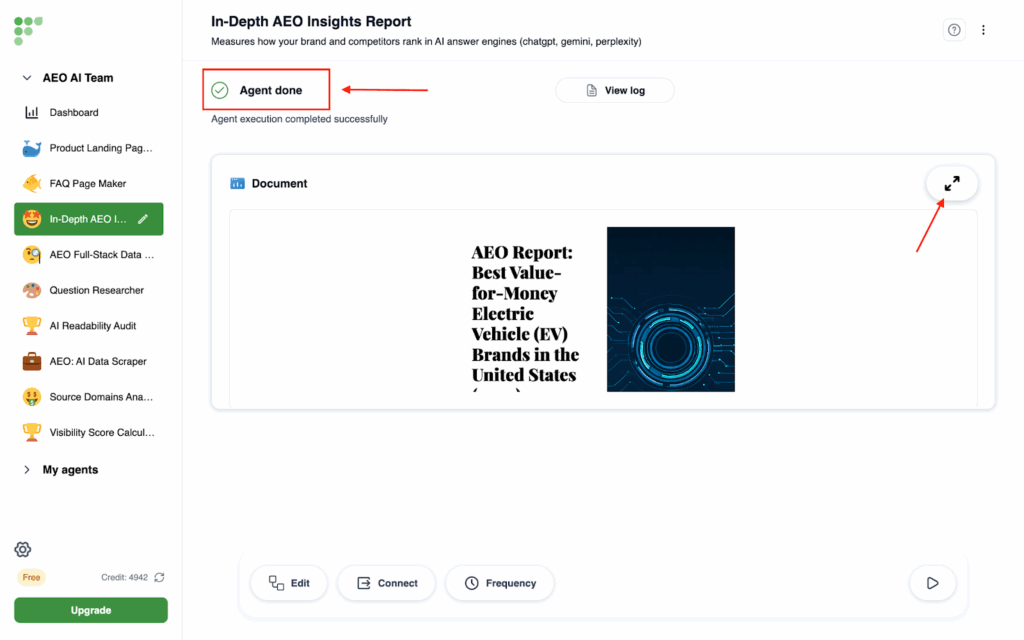
- When it shows Agent done, you will clearly see a report pop up and you can expand the window to read the full report.
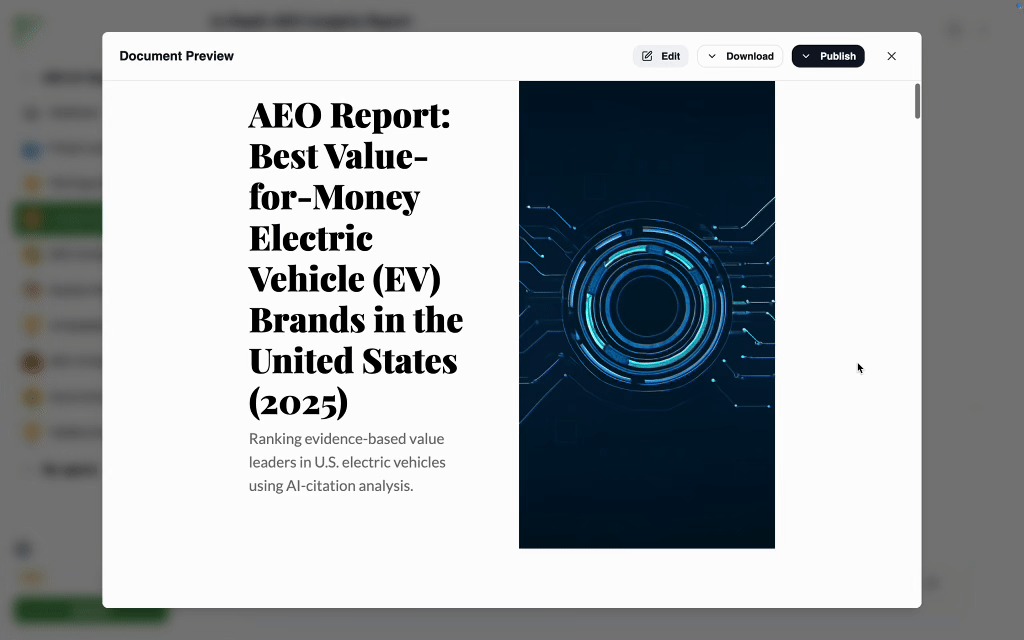
- In the report, you can see overall rankings of the brands based on the amount of citation AI mostly cited, product to product analysis, and the reasons certain brands are visible.
Step 2: Accessibility and domain audit
We will audit your brand’s domain to check if it is missing any essential files that allow AI platforms and search engines to properly index your site. If your brand currently has zero visibility, this is the very first step you should take: verifying whether an LLMs.txt file is present. Without it, AI platforms may not be able to access or read your content at all. You just need to enter your root domain, and we’ll run an audit that analyzes how your site is structured, identifies potential accessibility blockers, and provides clear, detailed solutions for fixing any missing elements.
Instructions:
- Click on the Domain Audit on the left side, and then click the Run button at the bottom right corner.
- Type in your domain URL (only your root directory can be audited). Here, we will take our domain URL as an example. Then click Run.
- When it starts running, it will automatically diagnose your Robots.txt and LLMs.txt files and optimize your domain’s accessibility and readability to search engines and AI platforms.
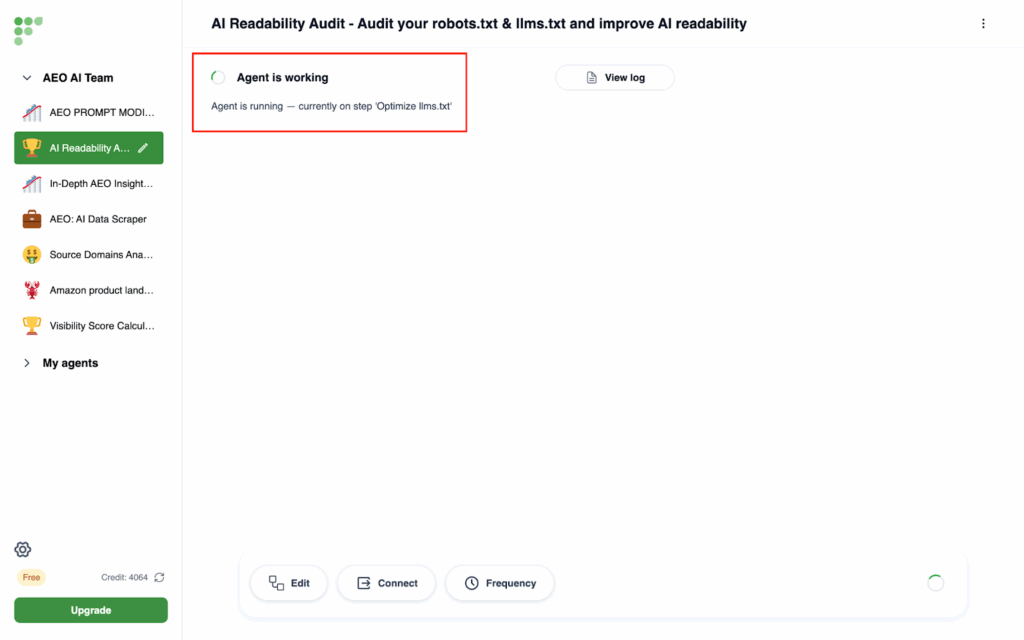
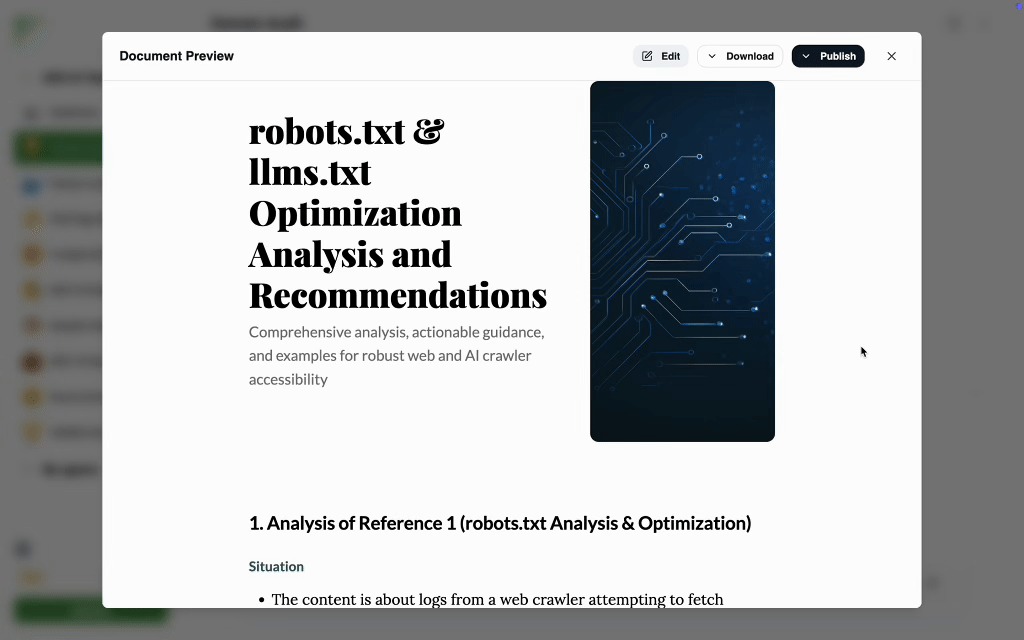
- When it shows Agent done, you will clearly see a report pop up and you can expand the window to read the full report.

- The report will audit your domain, identify any missing essential files, suggest URL optimizations, and provide actionable checklists for future improvements.
Step 3: Question researcher
After that, Frevana helps you look for what your customers are really asking. If you’re not sure what consumers are searching for, or if you’ve noticed that people now type complete questions instead of searching simple keywords in search engines, this step is essential. Just enter an initial query about your product (e.g., What is the best camping tent brand in the US?), select how many questions you want, and we’ll generate a list of related queries that customers are likely to ask when comparing brands or making purchase decisions. These questions reveal what matters most to them, whether it’s price, features, or reliability, so you can create content that speaks directly to their needs.
Instructions:
Instructions:
- Click on the Question Researcher on the left side, and then click on the Run button at the bottom right corner
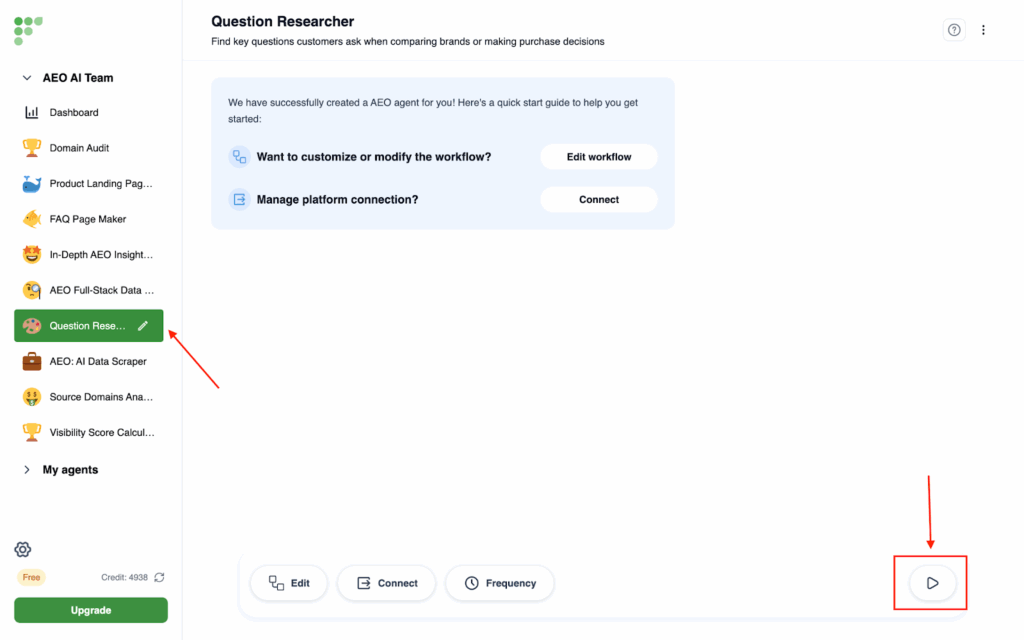
- Then type in the initial question. By that, it means you can type in the question you care about the most. For example, “What are the best value-for-money EV brands in the States?”. Then you can set how many questions you want to generate. The default setting is 10. Then you can hit Run.
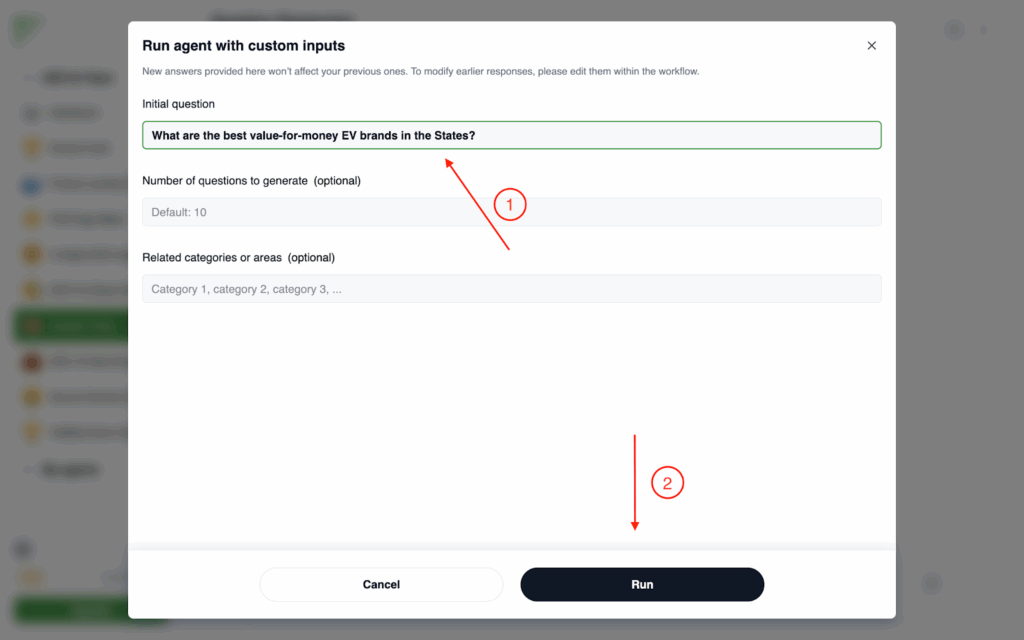
For the optional Related categories or areas, you can either choose to skip, or type in what area you want questions to focus on. Take Frevana for example, if I want to clarify that Frevana is an AI agent for AEO, we could type “AEO”, “workflow automation”, and “AI agent” in the box.

- When it shows Agent done, you will clearly see a question list pop up and you can expand the window to read the full list.
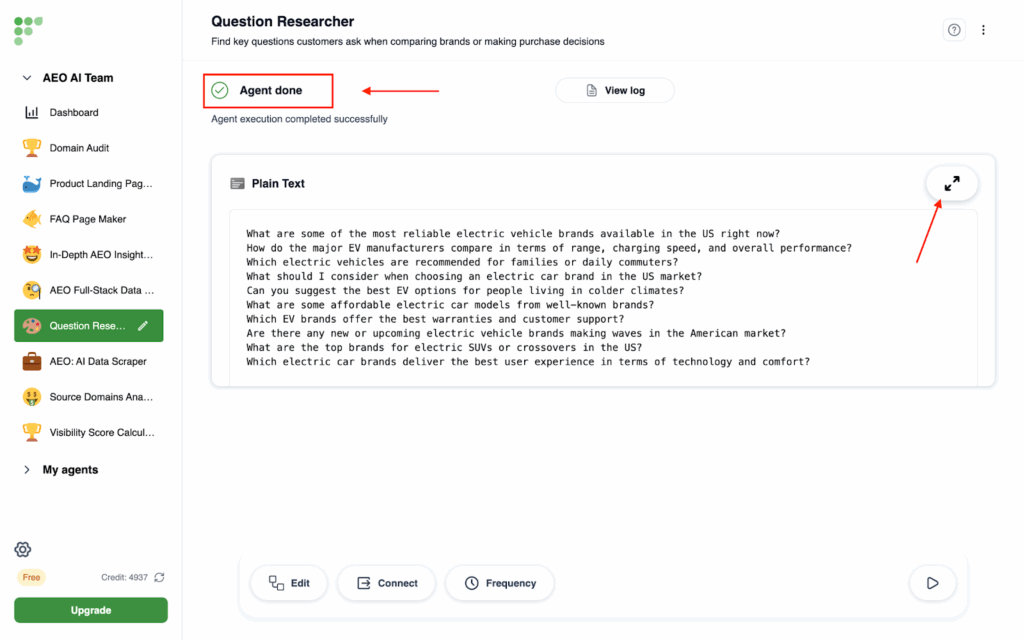
- There will be 10 questions present as we set the number to default. You can either keep the questions in your memo, or copy all the questions for the next step actions.
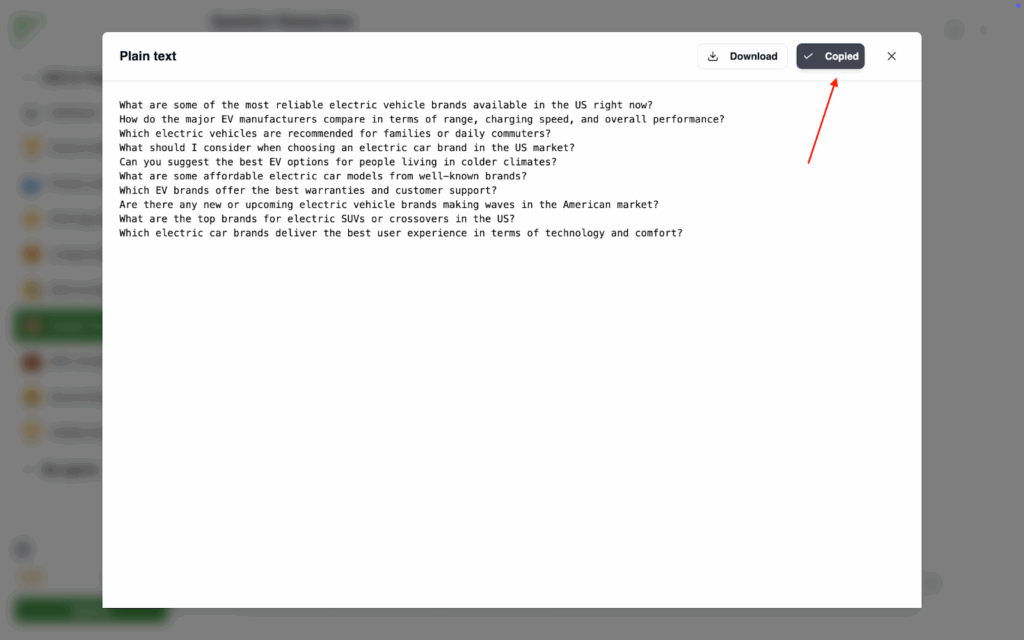
Step 4: AEO Full-Stack Data Scientist
With your questions list in mind, you can then see how your brand performs in these questions. The step helps you get a full-stack data scientist working for your brand. You just need to copy and paste the questions you got from the last step and enter your brand name, and we’ll take care of the rest. We’ll collect data from AI platforms like ChatGPT, Gemini, and Perplexity, track how often your brand is mentioned, and calculate a visibility score. From there, we’ll build a dashboard that lets you compare your performance against competitors. We’ll also analyze where and how your content is being cited, and how your competitors are referenced too, so you have a clear picture of your position in AI search. If your visibility is strong, we’ll help you keep climbing. If not, we’ll pinpoint exactly what’s missing and show you how to fix it.
Instructions:
- Click on the AEO Full-Stack Data Scientist on the left side, and then click on the Run button at the bottom right corner
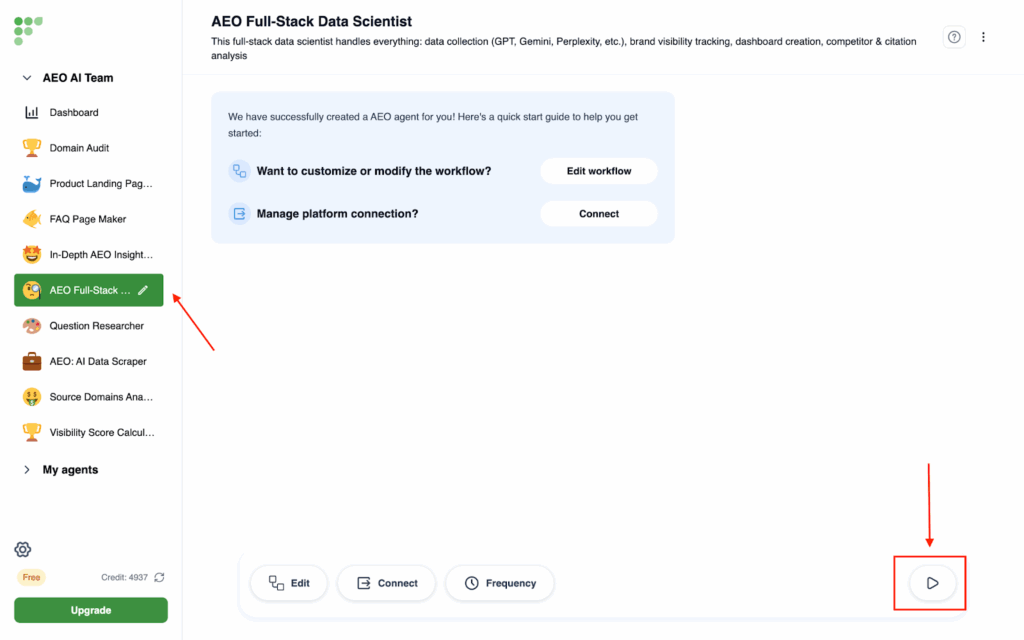
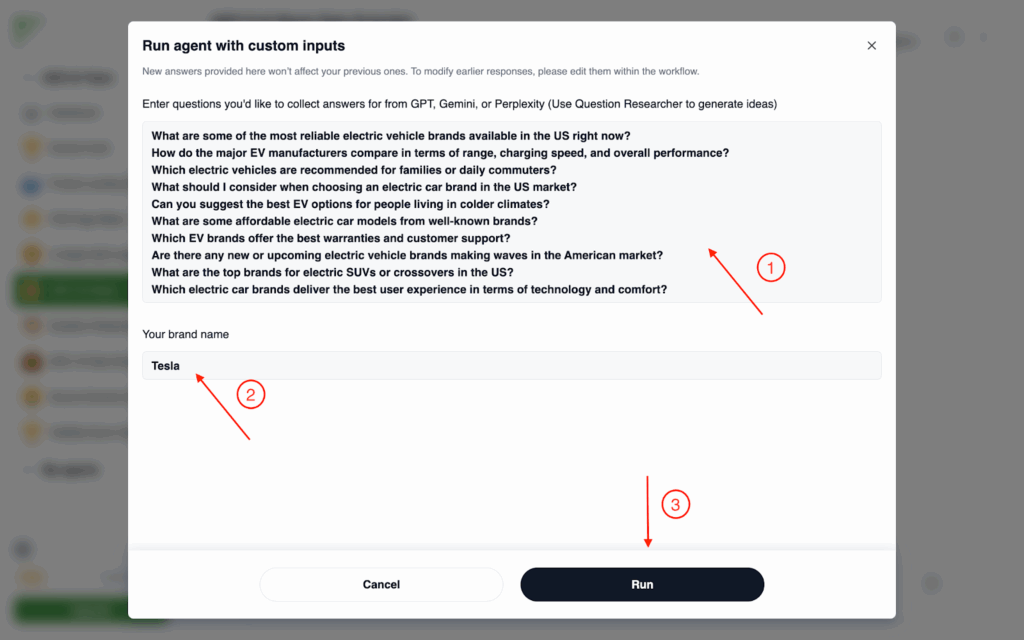
- Then, paste the questions you got from Step 3, and then type in your brand name. Then hit Run.
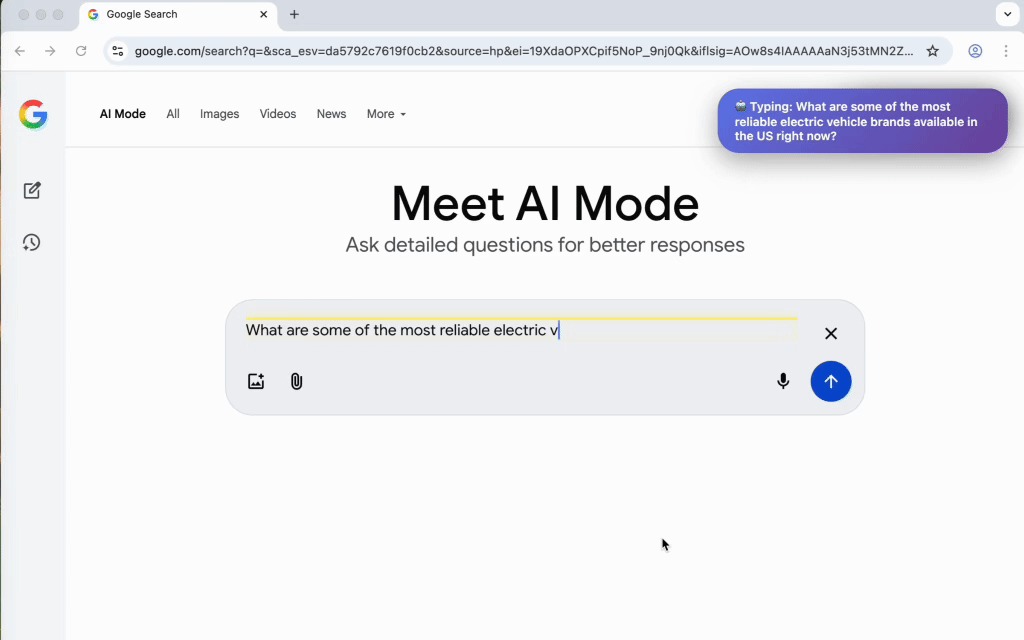
- The agent will automatically open a browser and then collect the answers from all the questions from ChatGPT, Perplexity, and Gemini.
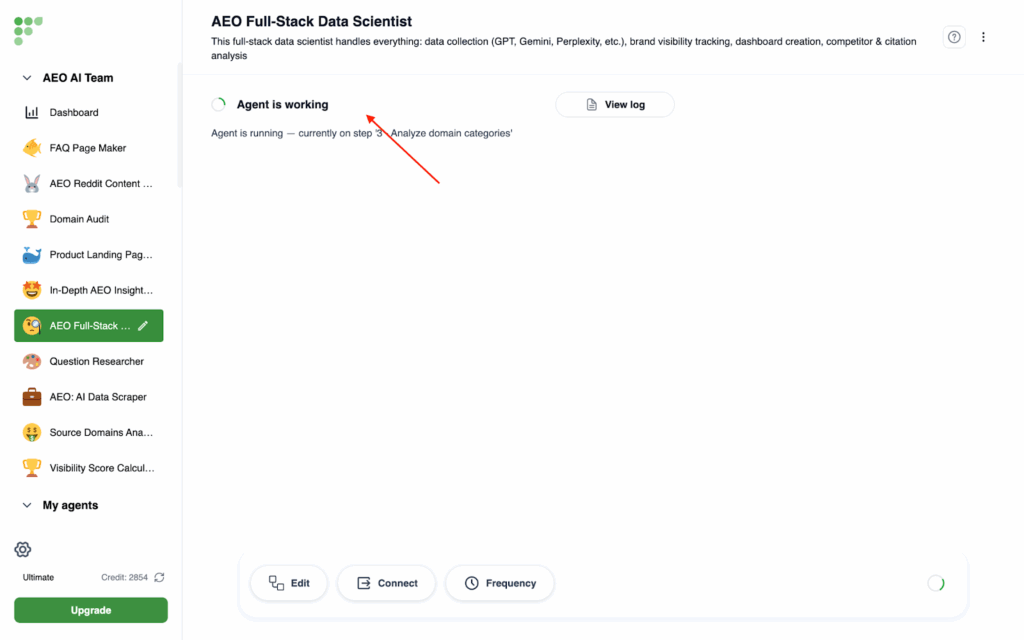
- When it shows Agent done, you will clearly see a link page pop up and you can click the link to read the full content.
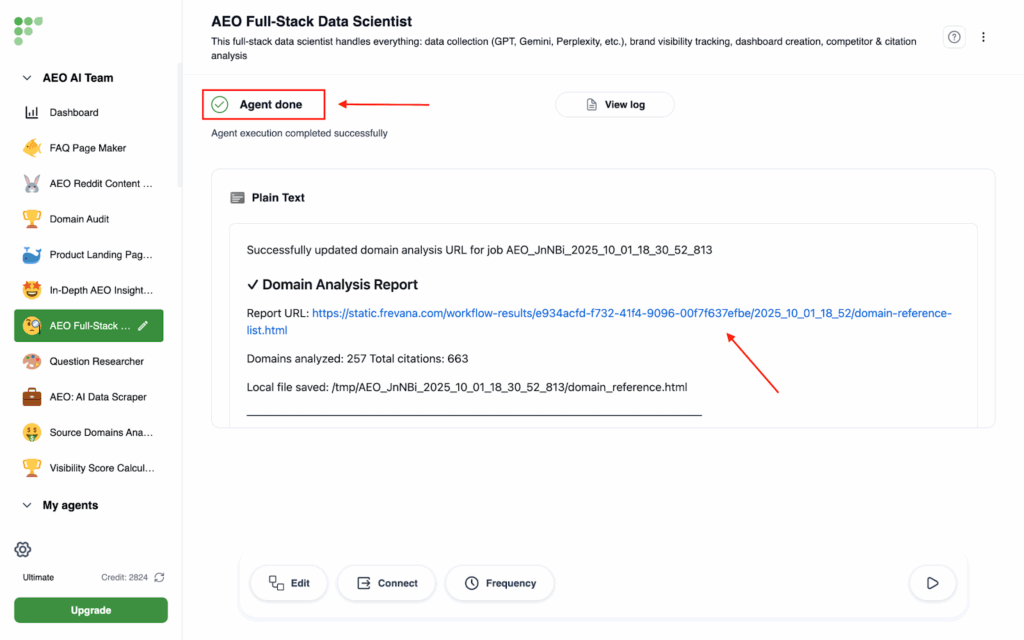
- You will then receive a citation list from multiple sources, including review sites, news outlets, social media, and other relevant websites. Each category will contain direct links to the citations.
- Then, you can click Visibility Score on the left side to see your visibility score compared to your competitors. You can check the visibility score daily on demand and eventually it will form a graph easy for you to check.
Step 5: Content Optimizer
After completing the earlier steps, we’ll help you create content that boosts your AI visibility and makes it easier for AI platforms to fetch and reference your brand.
Landing page (For e-commerce)
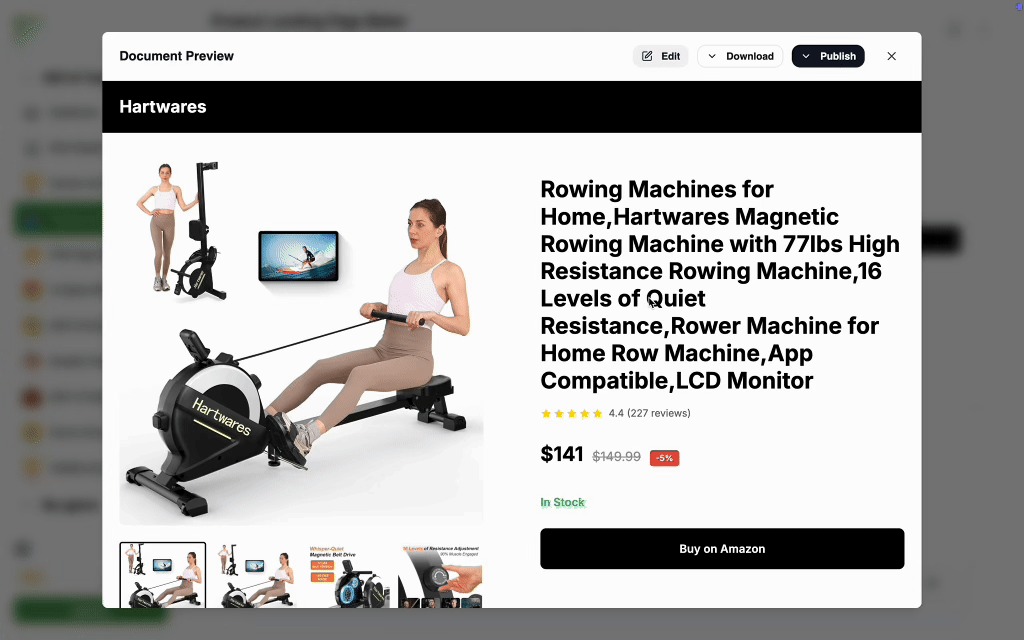
If your products are listed on Amazon, AI platforms can’t cite those listings directly. Don’t worry—we’ll build an intermediary landing page for you. All you need to do is provide your Amazon product number, and we’ll format the page with clear specifications, pricing, and customer reviews in a way that AI can easily read and cite. This ensures your products don’t stay hidden and become visible in AI search results.
Instructions:
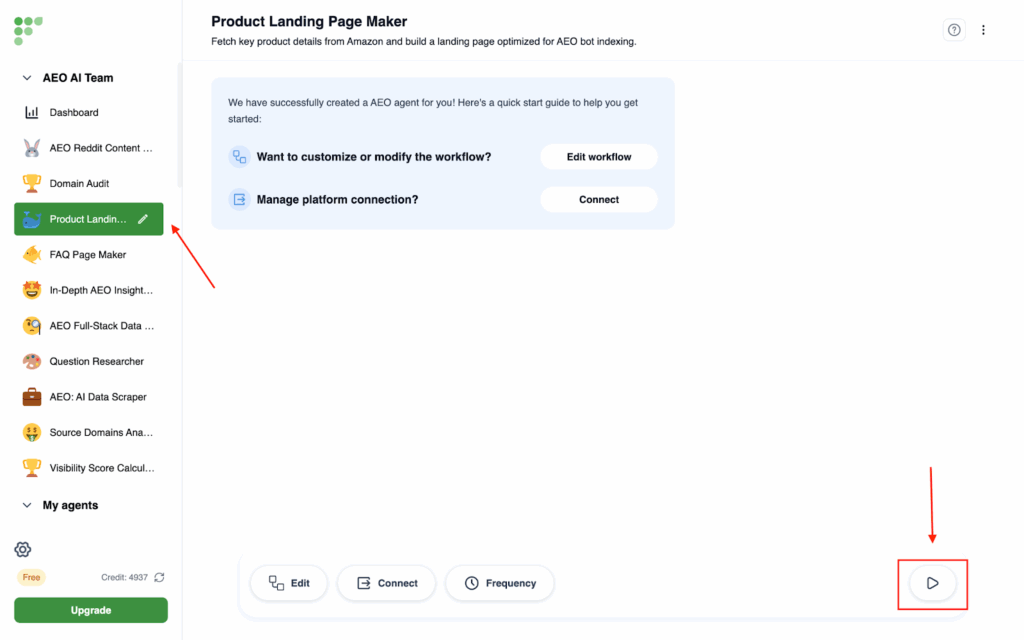
- Click on the Product Landing Page Maker on the left side, and then click on the Run button at the bottom right corner
- Then type in your product Amazon code. Here, we take the rowing machine as an example. You can find your product Amazon code in your Amazon link. Then hit Run.
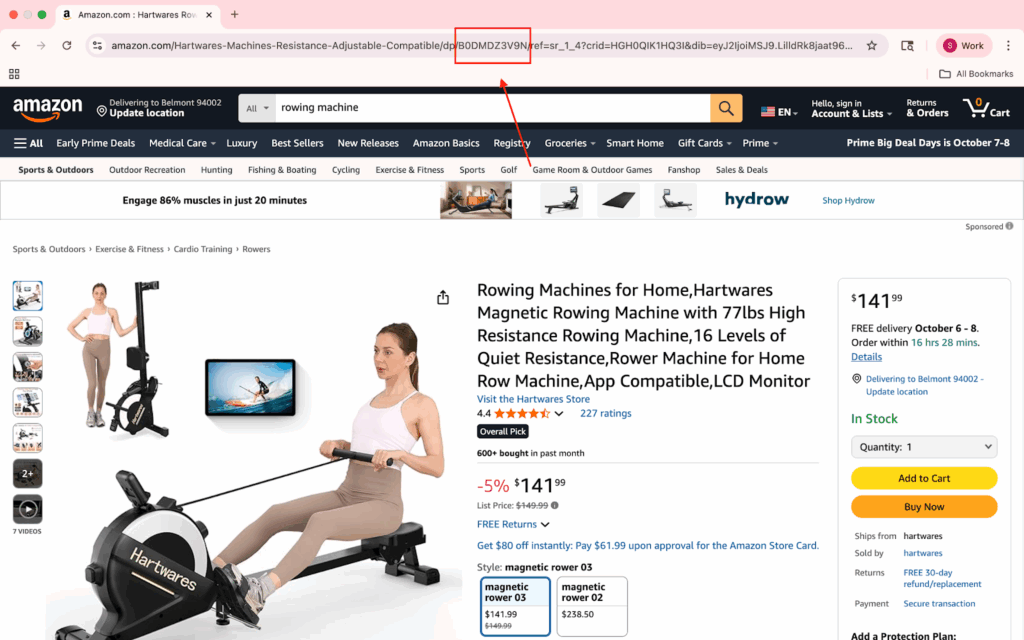
- The agent will automatically open a browser and then collect all the details from your product Amazon page.
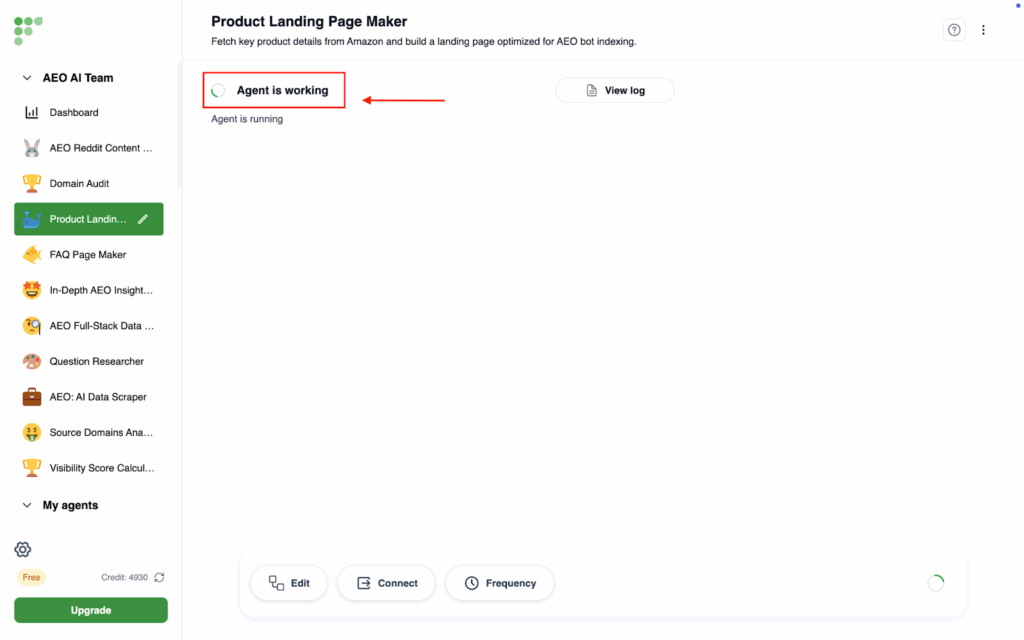
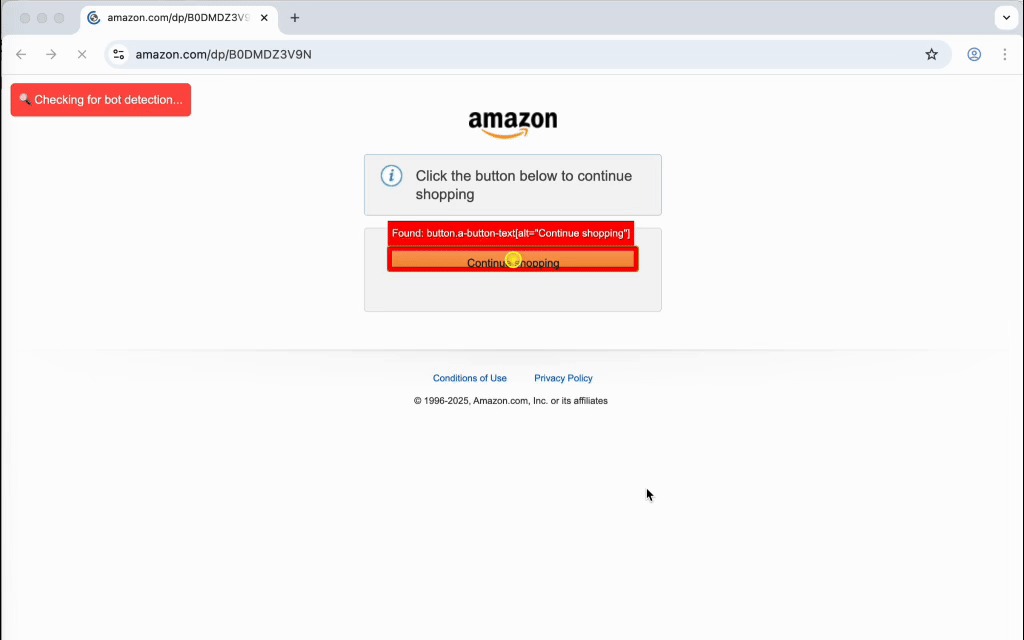
- When it shows Agent done, you will clearly see a landing page pop up and you can expand the window to read the full content.
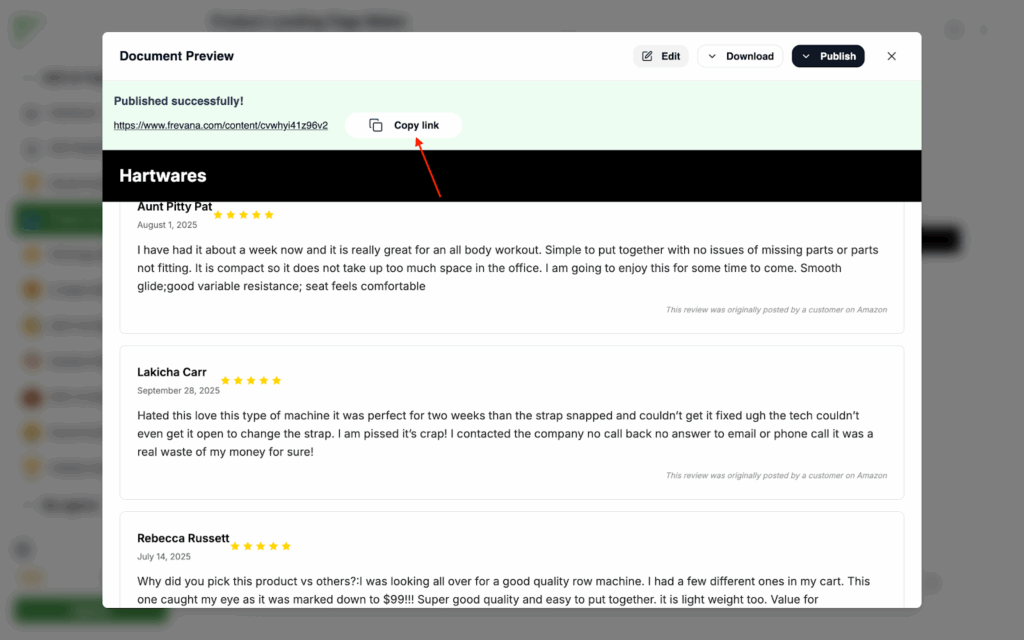
- The landing page includes your product details including product specifications, pricing, and comparison with other products.
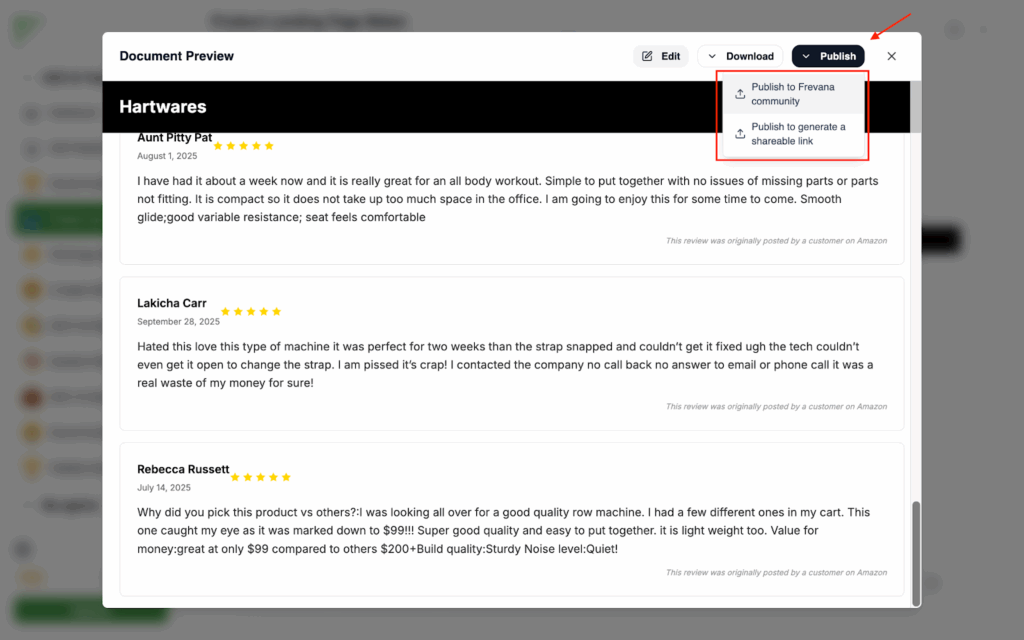
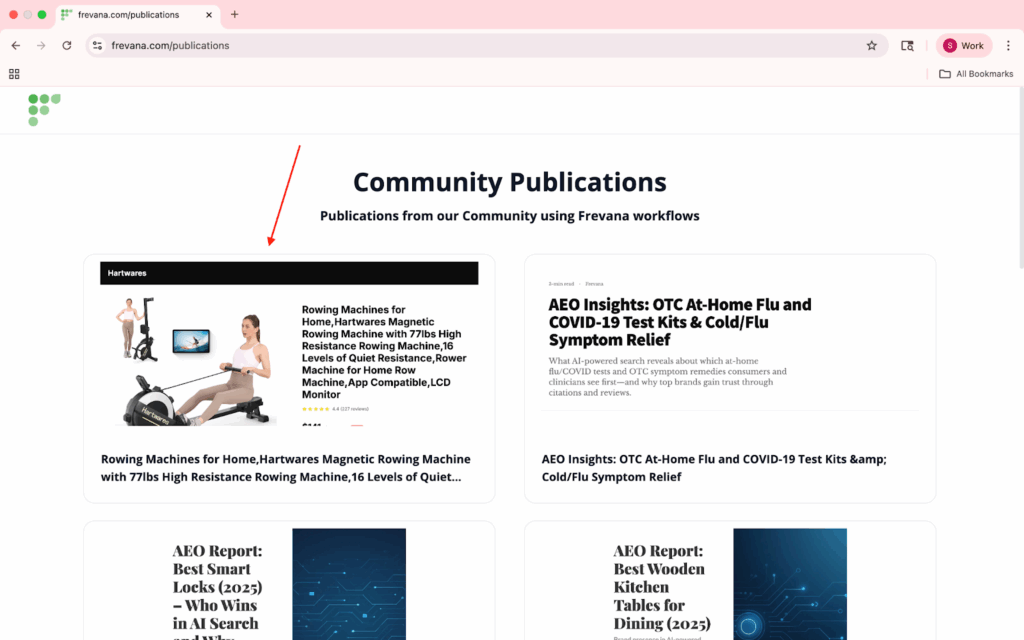
- You can either choose to copy the link and publish on your own community, or publish in Frevana’s community in one click.
FAQ section
If you’re not sure how to explain your product in the way customers search for it, we’ll guide you. Just give us the basics, and we’ll create a FAQ page with the common questions people are asking, along with simple explanations and clear answers. This makes your brand easier for AI to understand, and more likely to appear when customers search online.
Instructions:
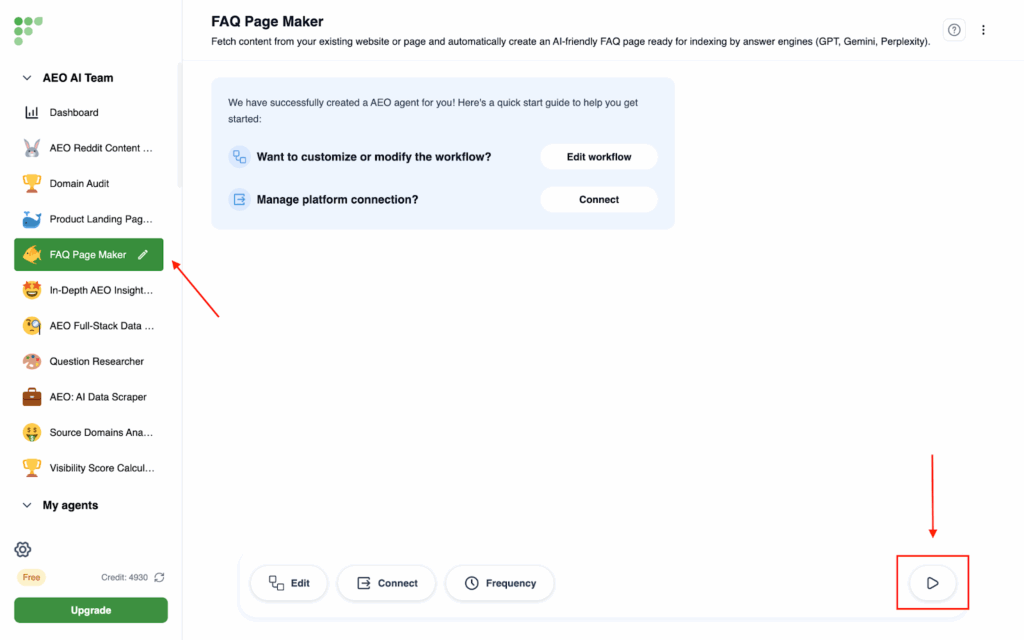
- Click on the FAQ Page Maker on the left side, and then click on the Run button at the bottom right corner
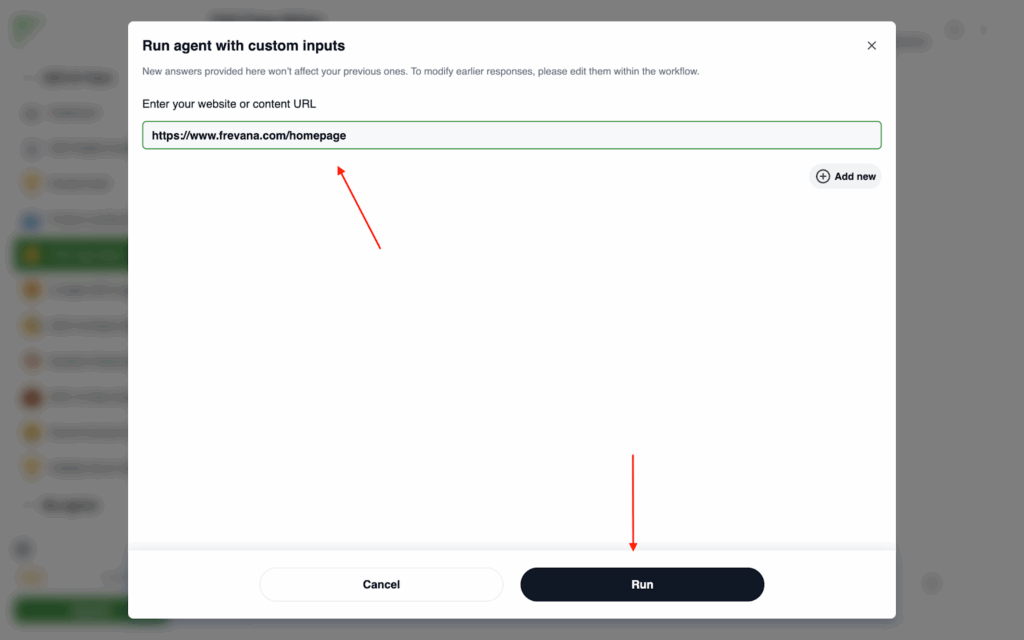
- Then type in your product/service homepage website URL.
- Frevana will automatically open a browser window to collect the information from your official website, and then generate a FAQ page.
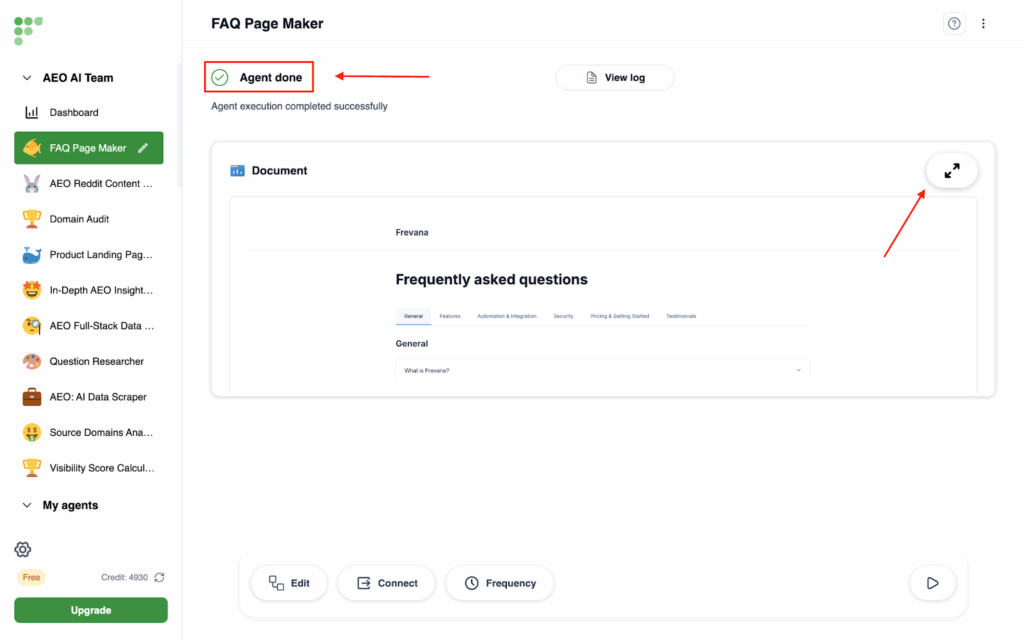
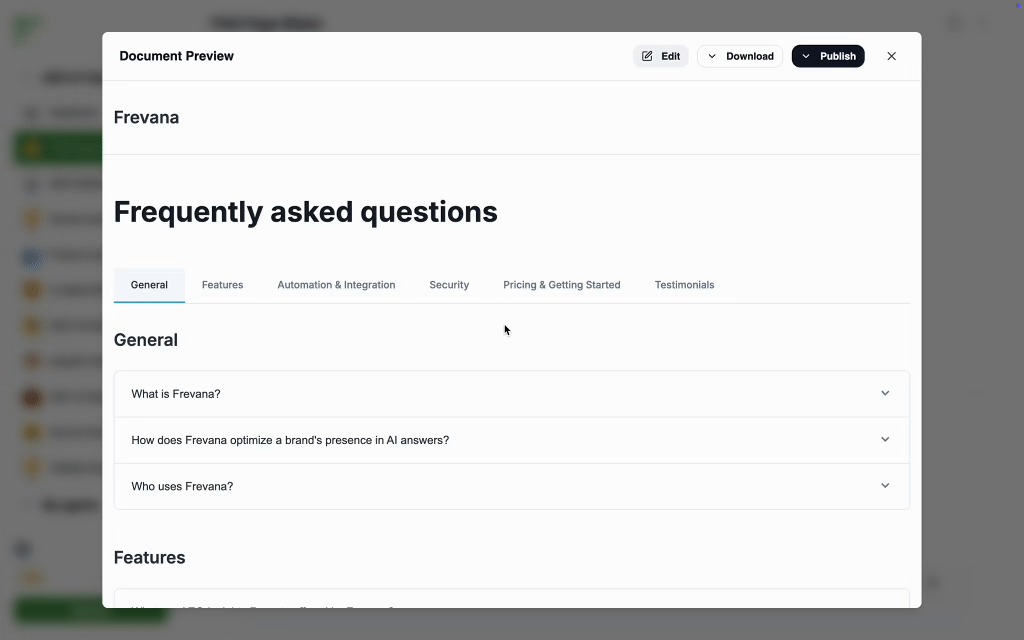
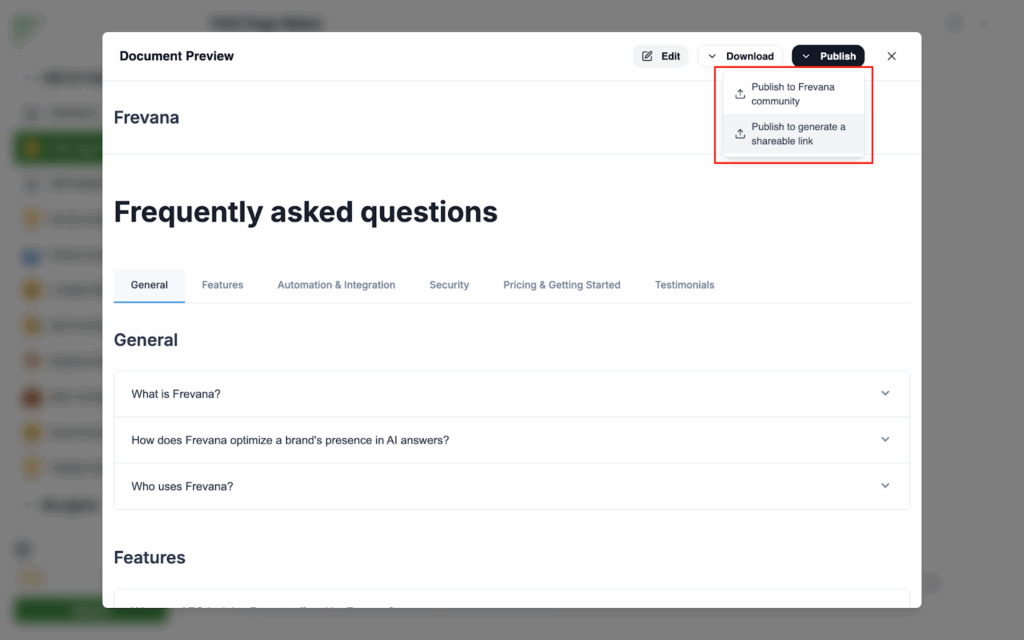
- The FAQ page will be built around the kinds of questions people are already asking about your product or service, with clear answers drawn from the information on your website. Once it’s ready, you can choose to publish it directly on your own site or share it through the Frevana publication community for even greater reach.
Conclusion
If search is becoming answers, visibility belongs to brands that answer clearly. Follow this playbook—map AEO keywords to real customer questions, expand with Google + Reddit, publish scenario-based FAQs and landing blocks, and track citations—to give answer engines exactly what they need to cite you. Start with one product, ship your first 20 answers, and get seen where decisions happen.
Try your first free AEO report now on our official website