Shopify 集成
目标
要连接 Shopify 商店,智能体团队需要商店域名(yourstore.myshopify.com)、Client ID 和 Client Secret。本指南将帮助您创建应用、配置 API 权限范围并查找这些信息。
**预计时间:**约 15 分钟
开始之前
您需要一个 Shopify 账号。
第 1 步:创建 Shopify 应用
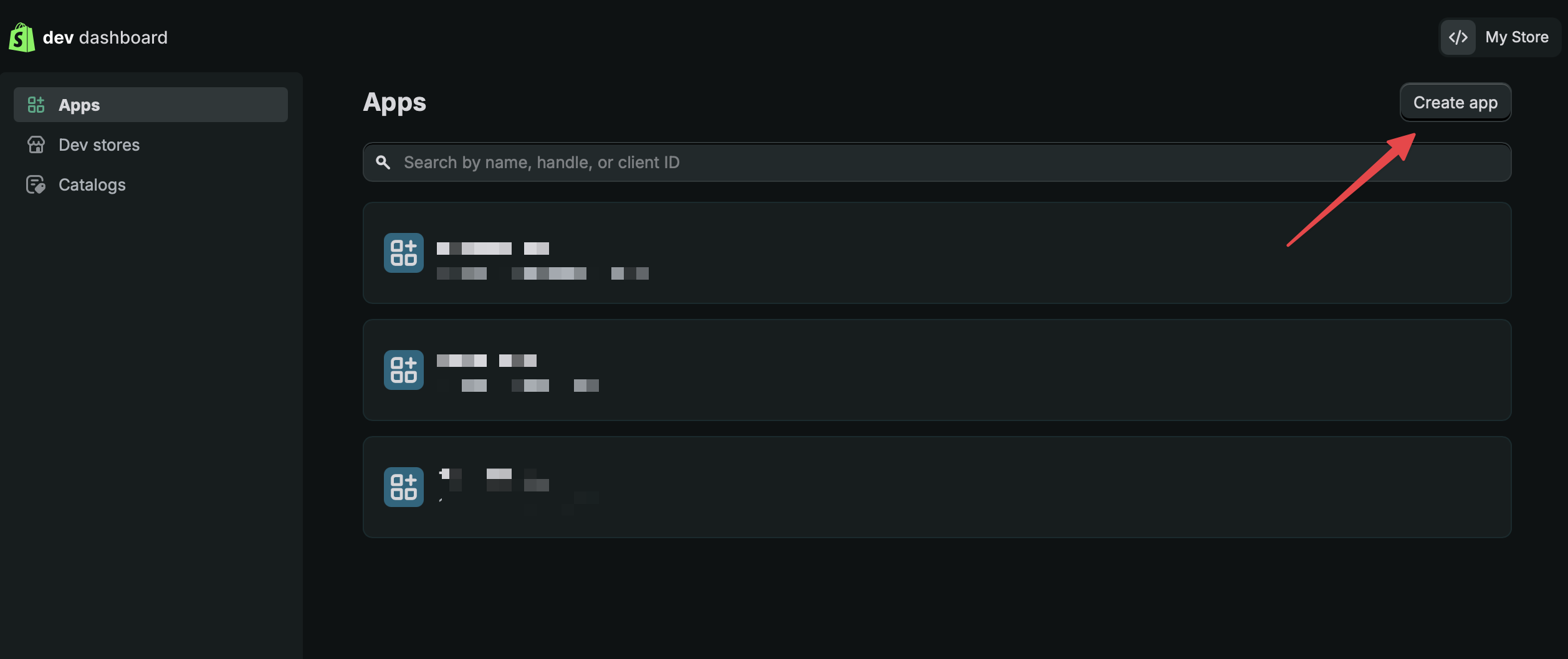
打开 Shopify Dev Dashboard,使用 Shopify 账号登录,然后选择右上角的 Create app。
为应用取一个名称。本次设置可以忽略 CLI 选项。
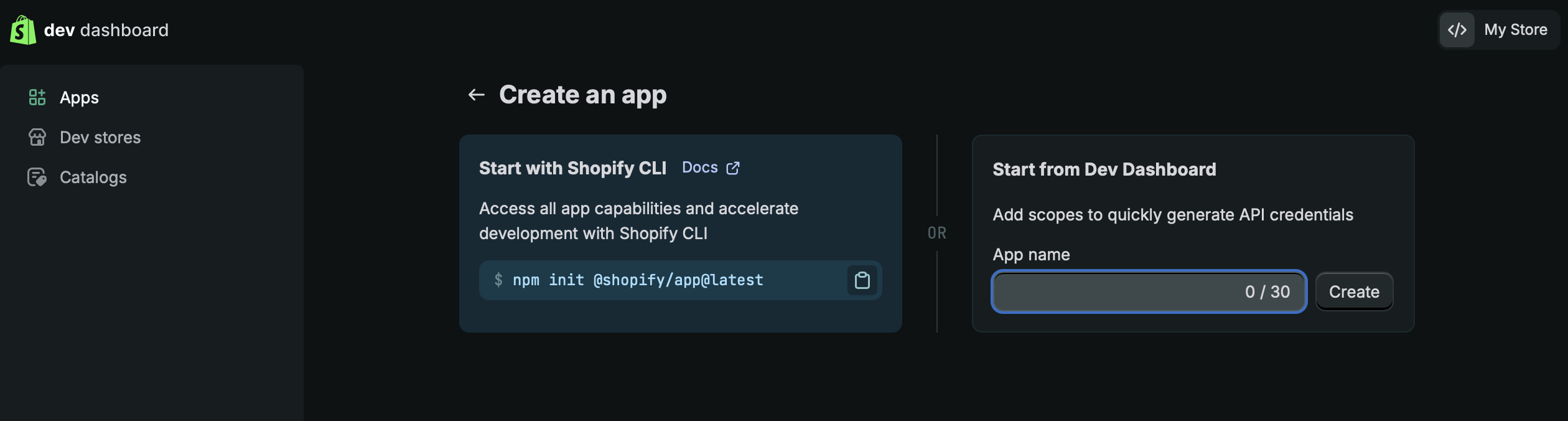
选择 Create,并保持 Create version 页面打开,以便进行下一步。
第 2 步:创建版本
备注
如果不小心关闭页面,请在侧边栏找到 Versions,然后选择右侧的 Create Version。
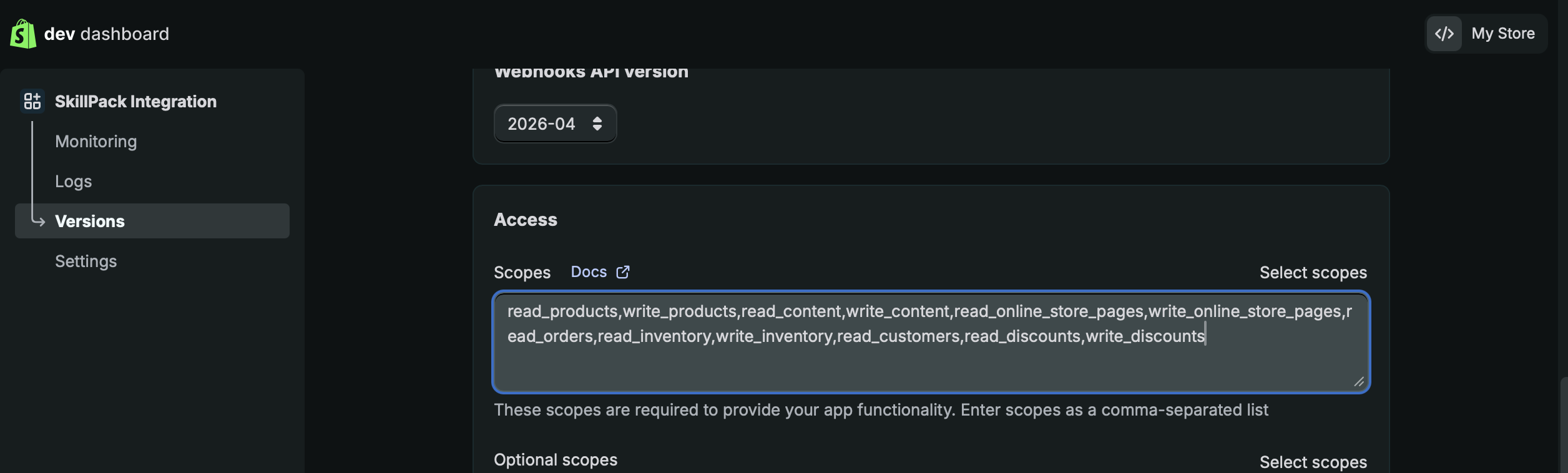
在页面中向下滚动,找到 Access - Scope。
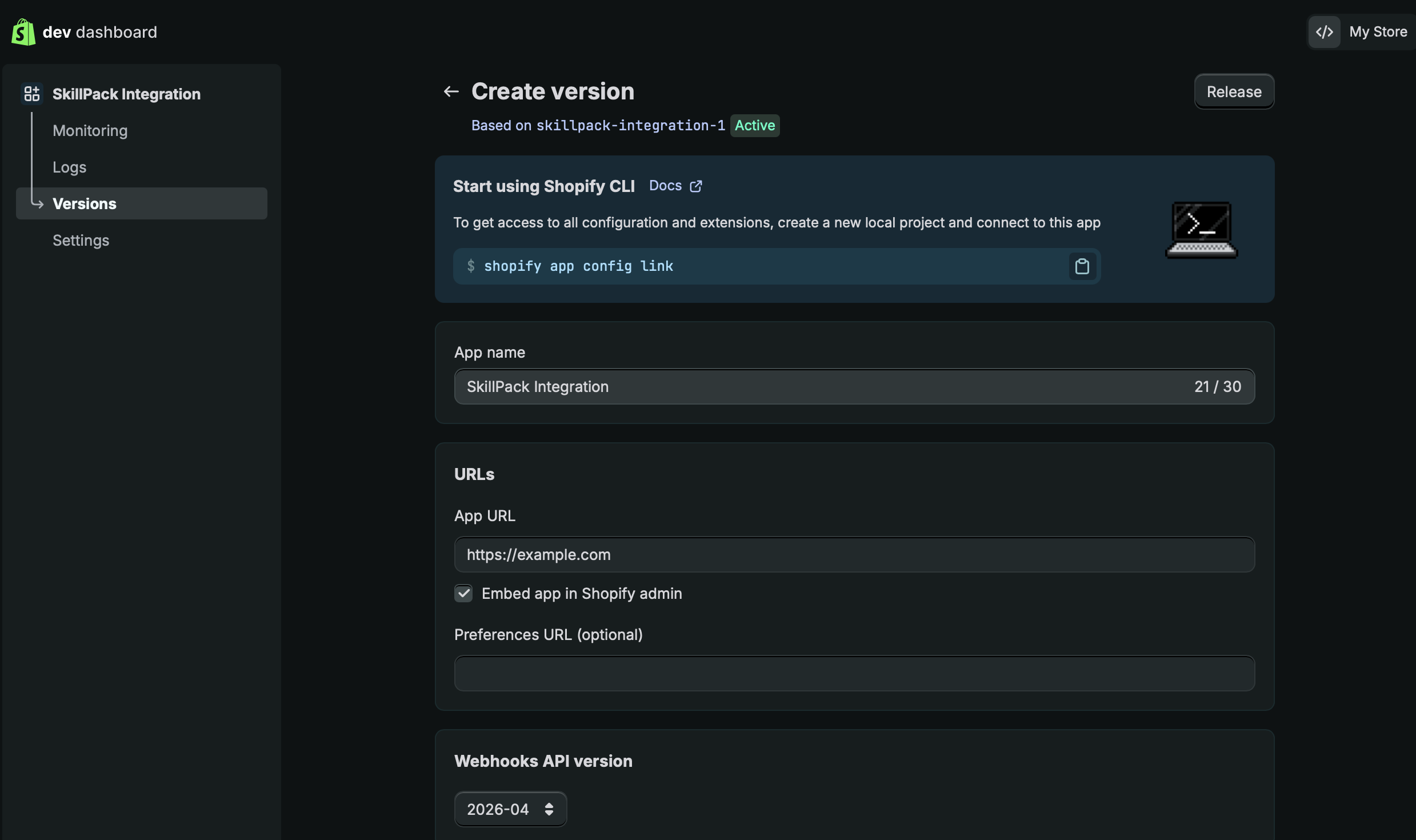
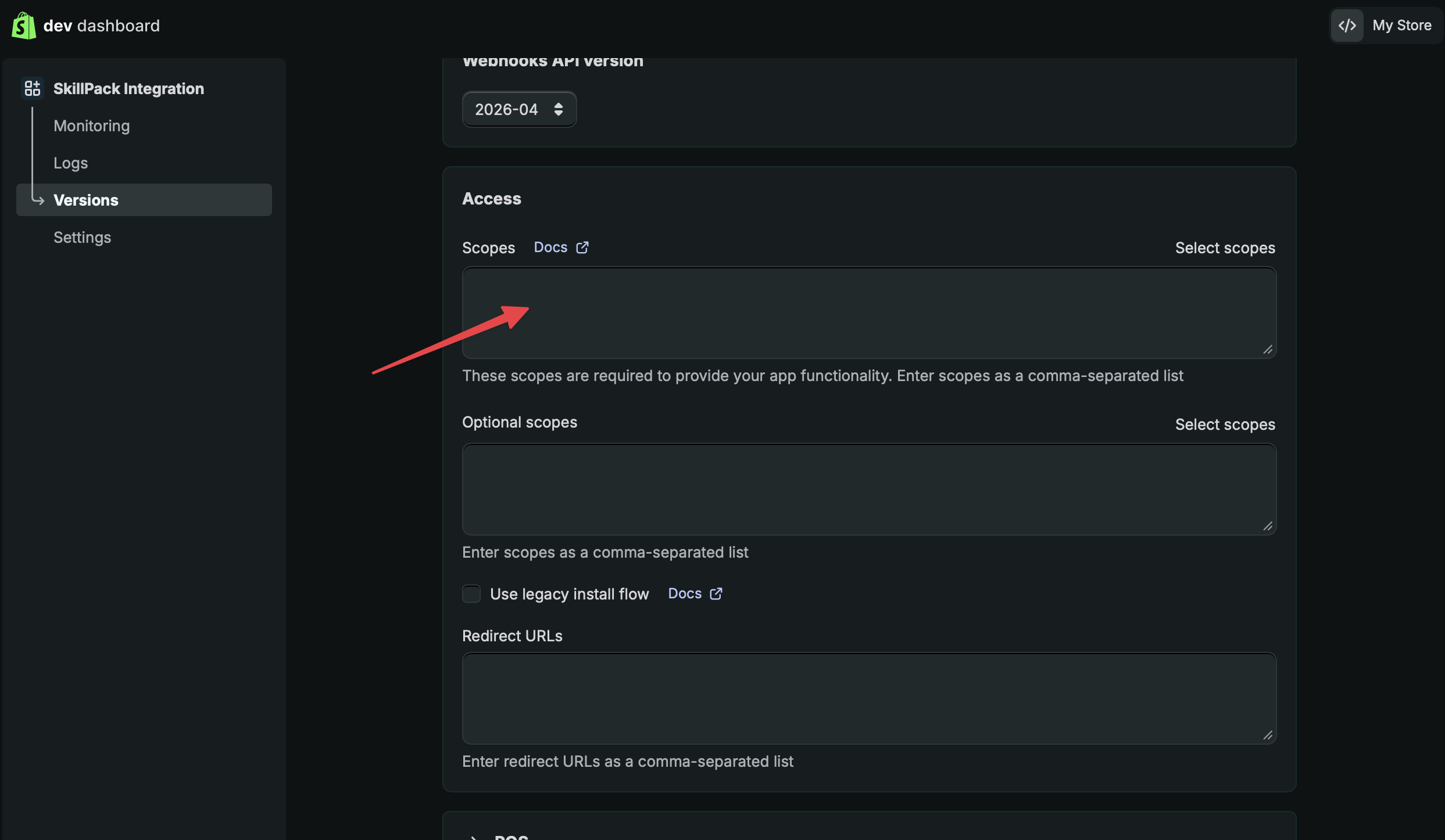
将以下完整内容复制并粘贴到 Access - Scopes:
read_products,write_products,read_content,write_content,read_online_store_pages,write_online_store_pages,read_orders,read_inventory,write_inventory,read_customers,read_discounts,write_discounts,read_reports,read_checkouts,read_locations,read_themes,write_themes
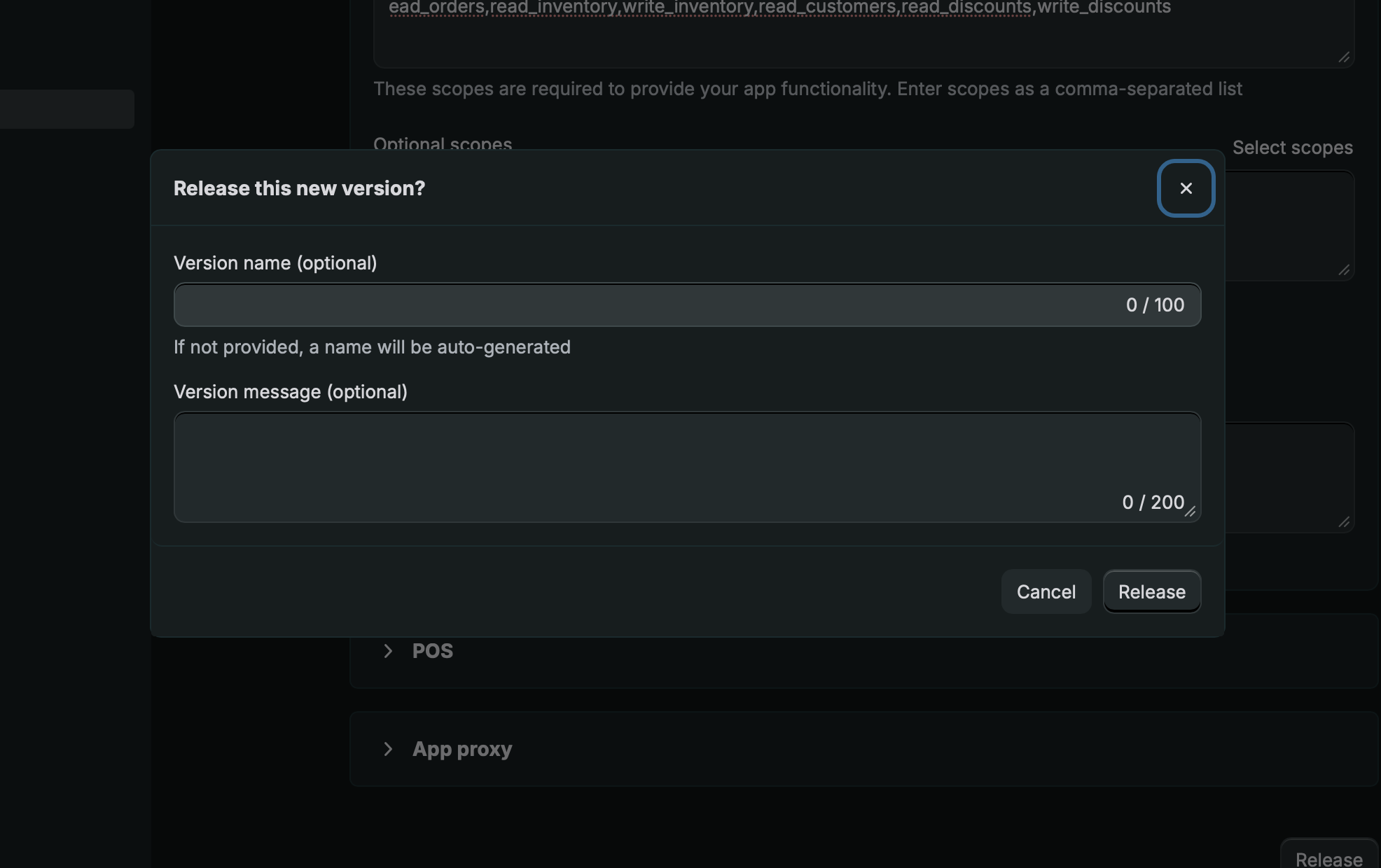
滚动到页面底部,选择 Release 并确认发布。
第 3 步:获取 Client ID 和 Secret
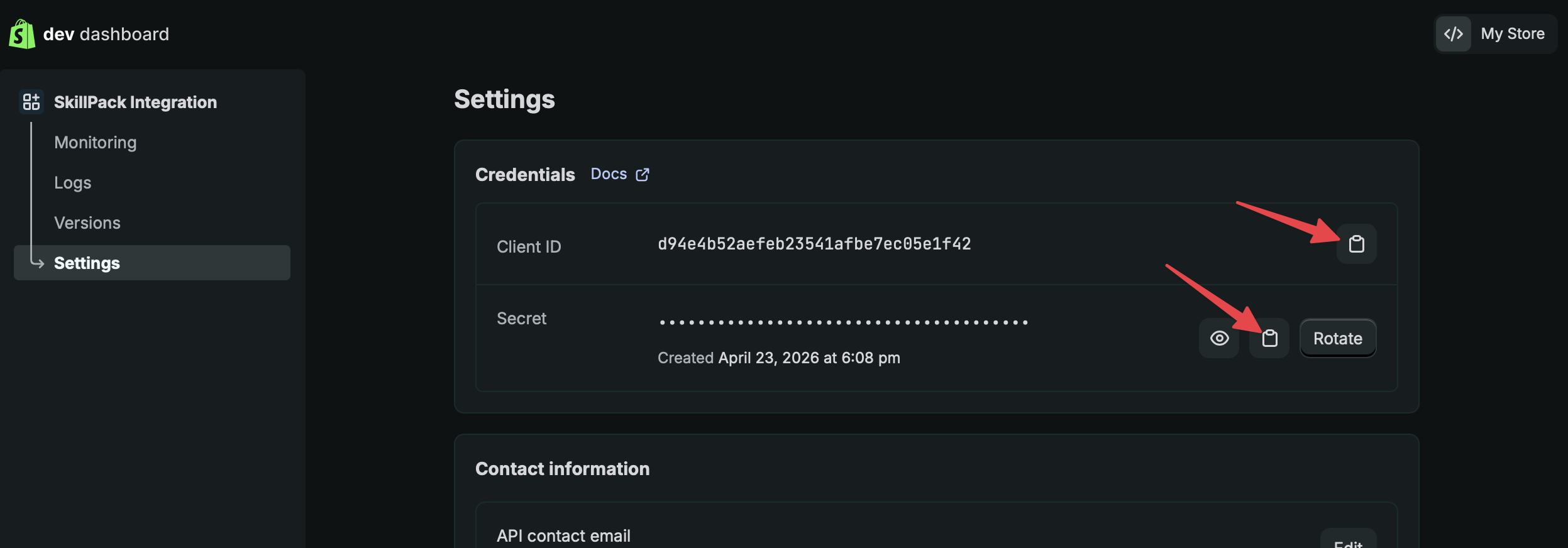
在侧边栏选择 Settings。在右侧分别复制 Client ID 和 Secret,并粘贴到 Frevana 聊天页面。
第 4 步:安装应用
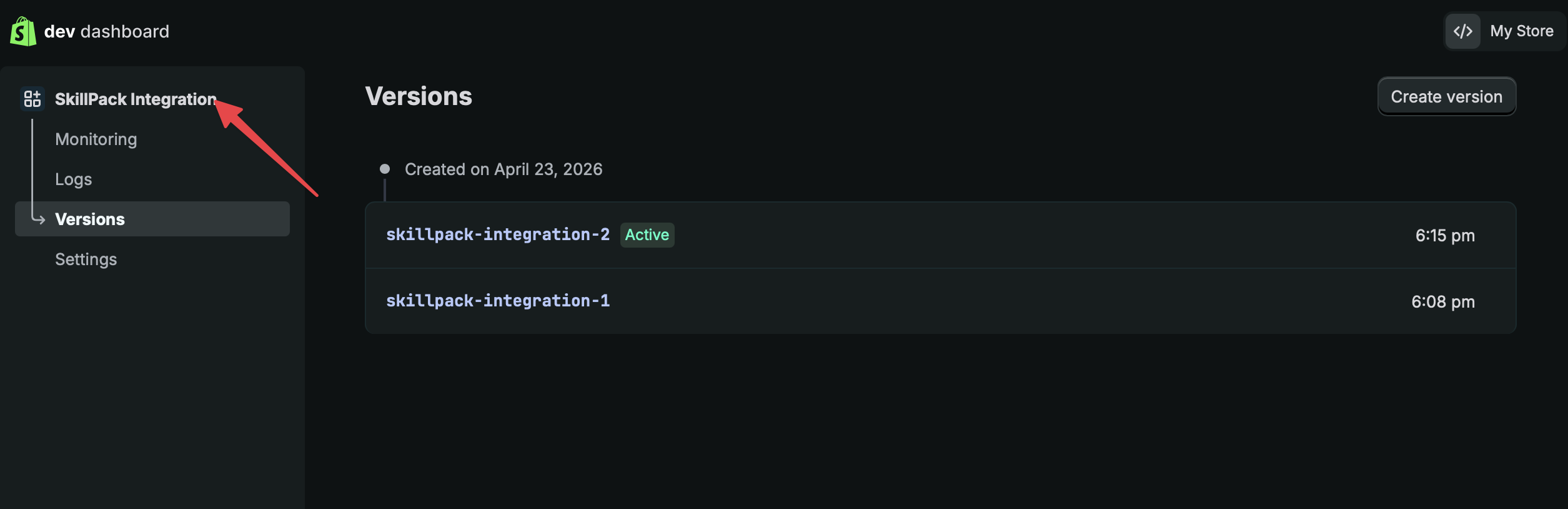
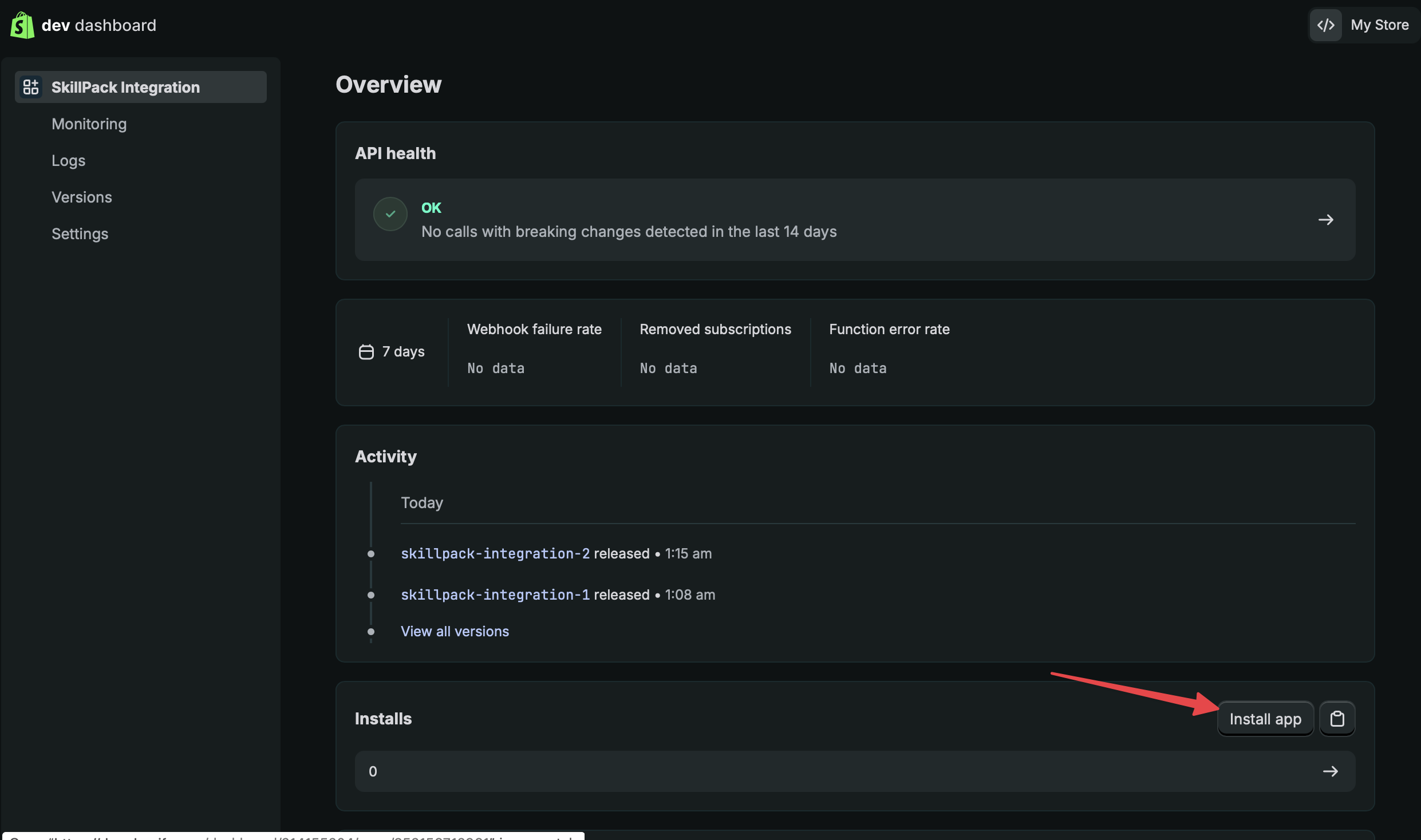
在侧边栏选择您的应用名称,返回应用首页(例如 Frevana Integration)。
选择右下角的 Install app。
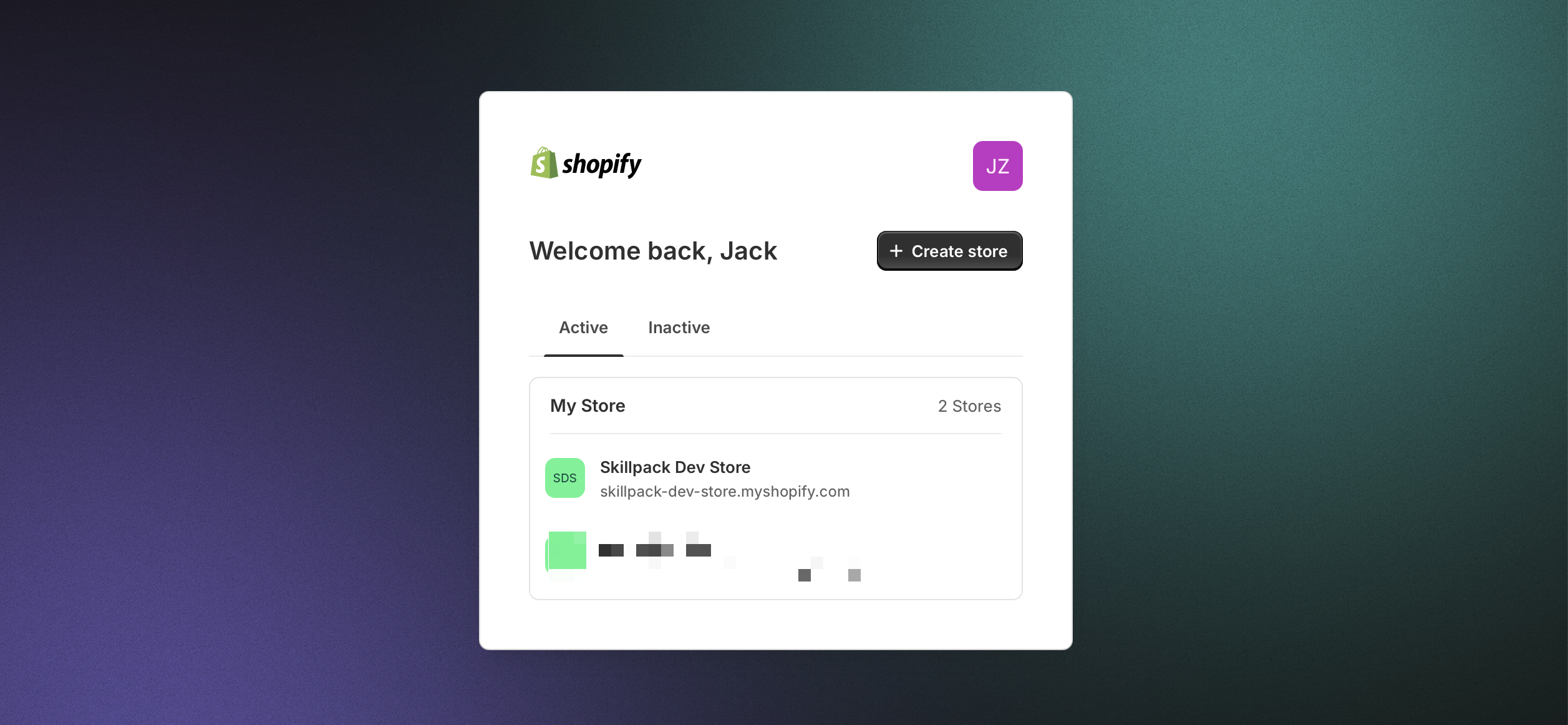
选择要安装应用的商店,之后 Frevana 即可访问该商店。
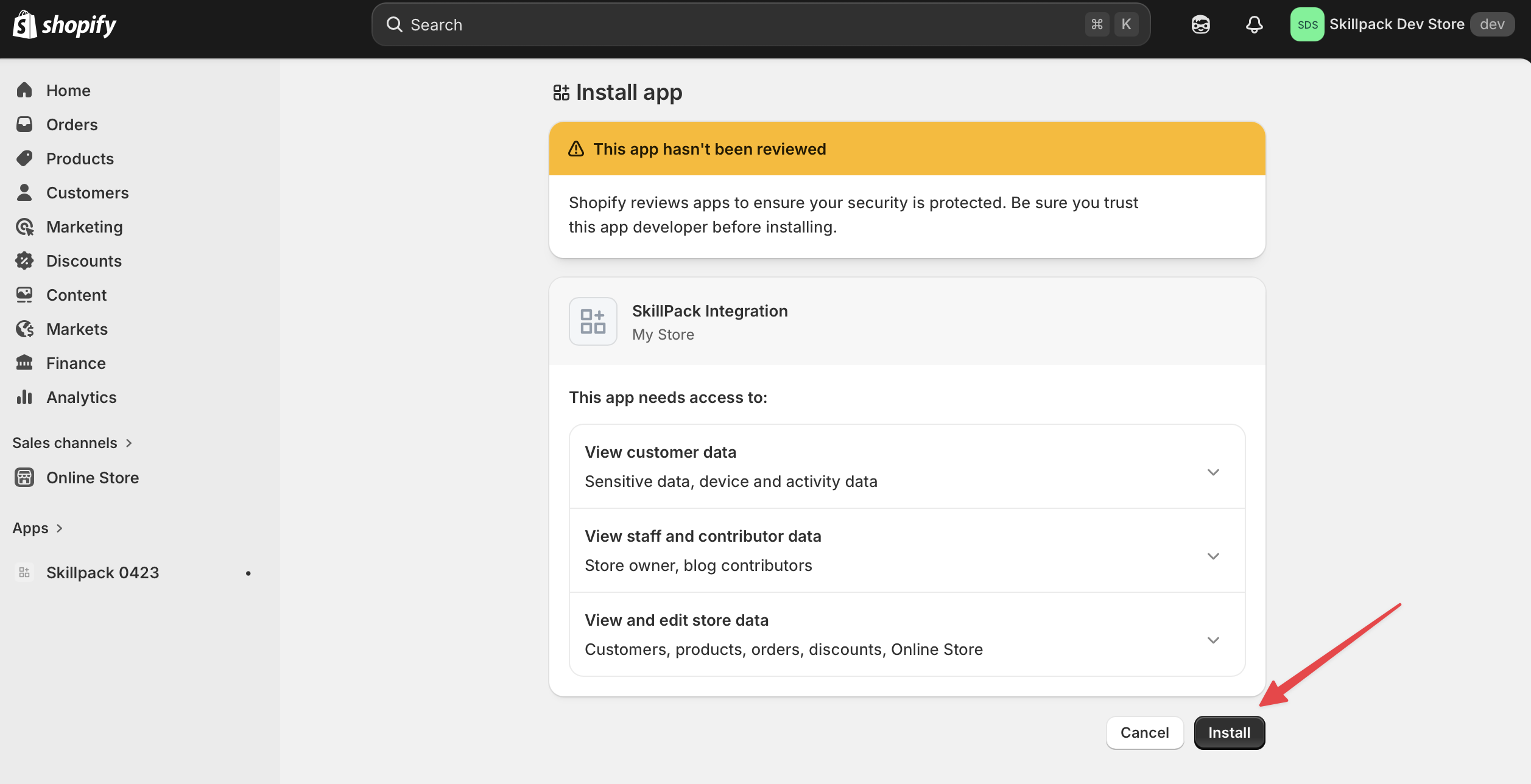
选择 Install。
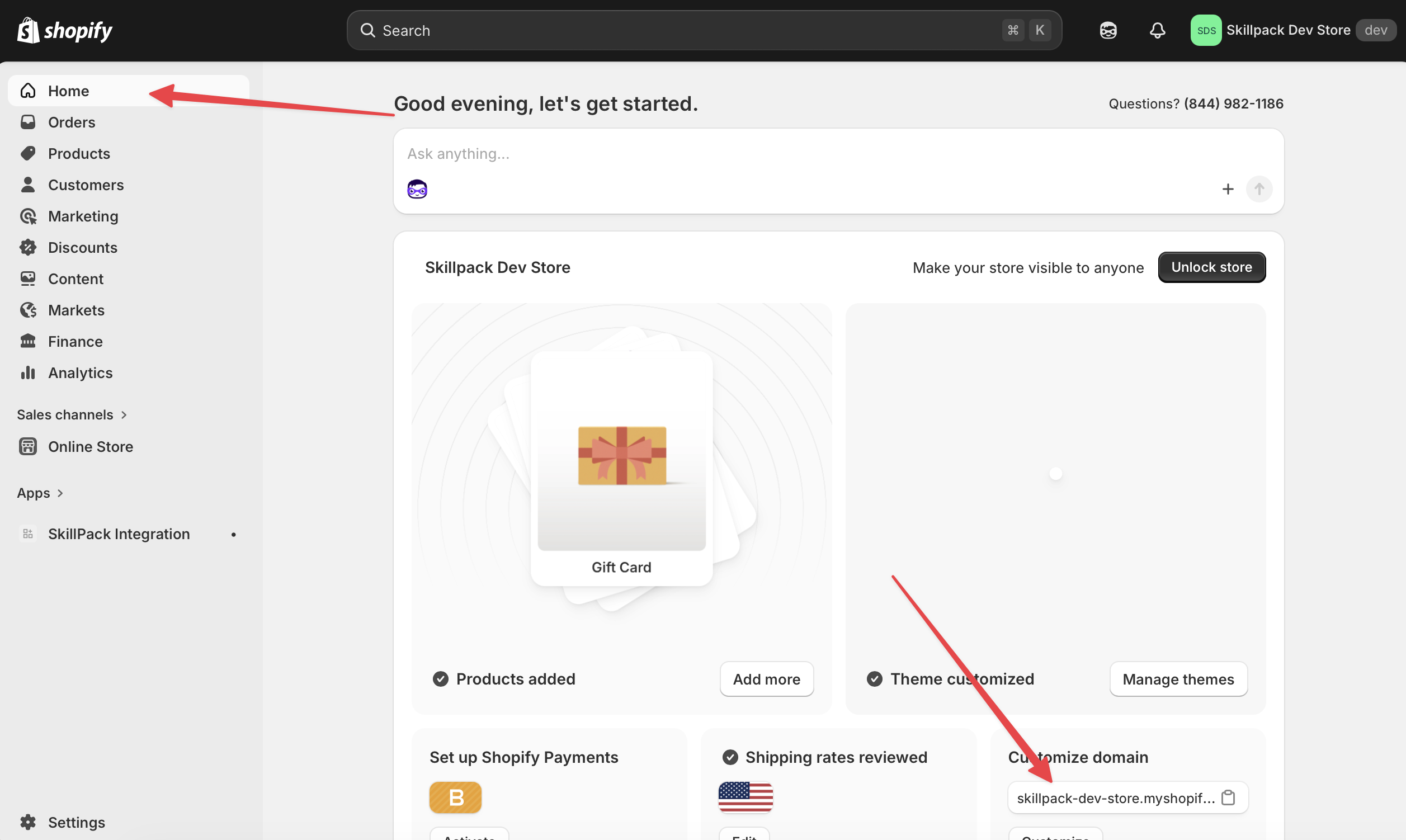
第 5 步:查找商店域名
打开商店首页,找到并复制商店域名。
完成
现在您已获得商店域名、Client ID 和 Client Secret。返回 Frevana 聊天以完成连接。