Wix Integration
Connect a Wix site to Frevana with an API key. One key can support Wix Store and Wix Site workflows, depending on the permissions you choose.
| Agent Team | Purpose |
|---|---|
| Wix Store | Ecommerce operations: products, inventory, orders, revenue summaries, payment/refund transactions, customers/contacts, and coupons. |
| Wix Site | Website operations: site URLs, CMS data, blog content, media files, business info, publishing, marketing tags, and embedded scripts. |
Step 1: Go to API Key Creation
- Go to Wix API Keys Management
- Click on "Generate API Key"

- Enter an API Key name.
- Choose whether the key can access All sites or Specific sites.
Choose Specific sites if you want to limit the key to selected sites.
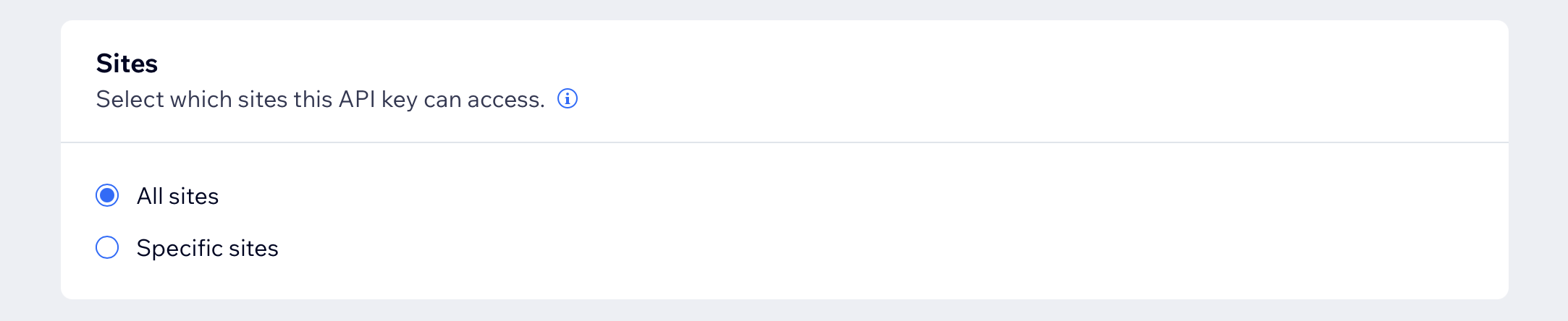
- Scroll down to "All site permissions" and click on "See all" to expand the list.

Step 2: Select permissions
You do not need to select All site permissions unless you intentionally want broad account and site access.
If you wish to manage both store and site, just select the options from both groups.
For Wix Store Permissions
- Basic permissions
- Wix Stores
- Wix eCommerce
- Wix Contacts & Members
- Wix Payments
- Wix Currencies
For Wix Site Permissions
- Basic permissions
- Read Site URLs
- Wix Data
- Wix Blog
- Manage Site Media
Add Publish Metasite only if you want the integration to publish or unpublish the site.
Step 3: Generate Key
Generate the key and copy it somewhere secure before closing the pop-up; Wix won't show the value again there.
Step 4: Finish Setup
Return to the agent team chat and provide the API key when prompted. Frevana can then retrieve the available sites so you can choose which one to manage.