TikTok Ads Integration
Connect TikTok Ads to Frevana by creating a Marketing API app, collecting its credentials, and authorizing your ad account. This guide will walk you through each step.
Prerequisites
Before you start, make sure you have:
- A TikTok for Business account with Business Center access
- Admin access to the target ad account
- Permission to create and manage developer apps
- A publicly accessible privacy policy URL
What Frevana needs
Prepare the following details:
App IDApp Secret
Treat the App Secret like a password. Store it securely and provide it only through Frevana's intended connection settings; never share it in public messages, email, or screenshots.
Create the app and retrieve credentials
Open the Developer Portal
Sign in to the TikTok for Business Developer Portal.
On My Apps, click Create App.

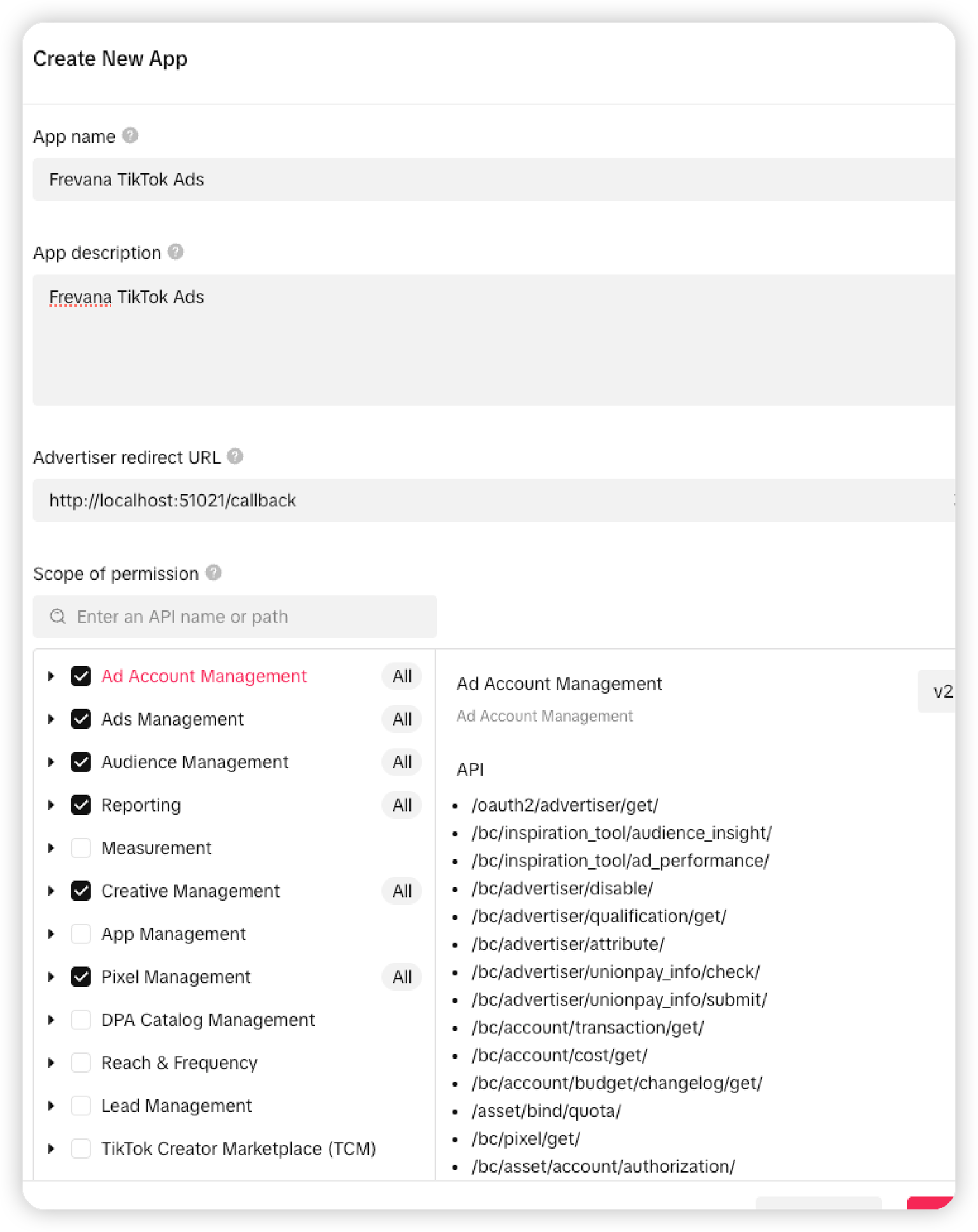
Complete the Create New App form
On Create New App, enter a recognizable App name, for example:
Frevana TikTok Ads
Add a brief App description. State that the app connects Frevana to TikTok Ads.
In Advertiser redirect URL, enter:
http://localhost:51021/callback
The value must match exactly. Use the http:// protocol, port 51021, and /callback path.
Use this exact local callback URL during the OAuth flow.
Configure the required permissions
Under Scope of permission, select All access for these permissions:
- Ad Account Management: Read ad accounts and their basic details.
- Ads Management: Read or manage campaigns, ad groups, and ads.
- Audience Management: Manage advertising audiences.
- Reporting: Read delivery data, metrics, and reports.
- Creative Management: Read and manage ad creatives.
- Pixel Management: Read and manage TikTok Pixels.
Create the app and copy credentials
Click Create to create the app.
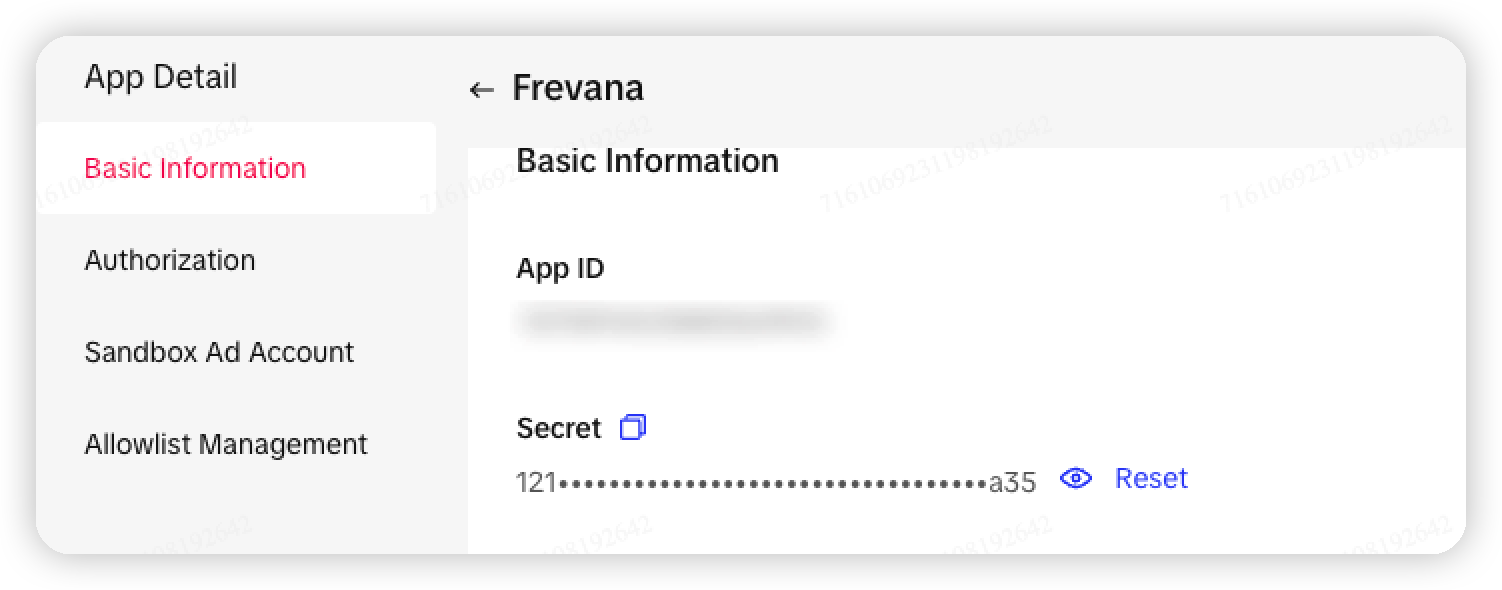
Open the new app, then locate App ID and App Secret in its details.
Copy both values and store them in a secure secret manager.
The App ID identifies the app. The App Secret exchanges server-side authorization codes for access tokens.
Submit for review and authorize ad accounts
Submit the app for TikTok review. Provide an accurate use case and privacy policy.
After approval, start OAuth authorization in Frevana. Sign in with a TikTok for Business user who can access the target ad account.
Select the correct Business Center and ad account, then confirm authorization.
Complete the connection
Enter the App ID and App Secret in the Frevana TikTok Ads connection settings.
Configure http://localhost:51021/callback only in the TikTok app settings.
After OAuth authorization, select an ad account to sync or manage its advertising data.