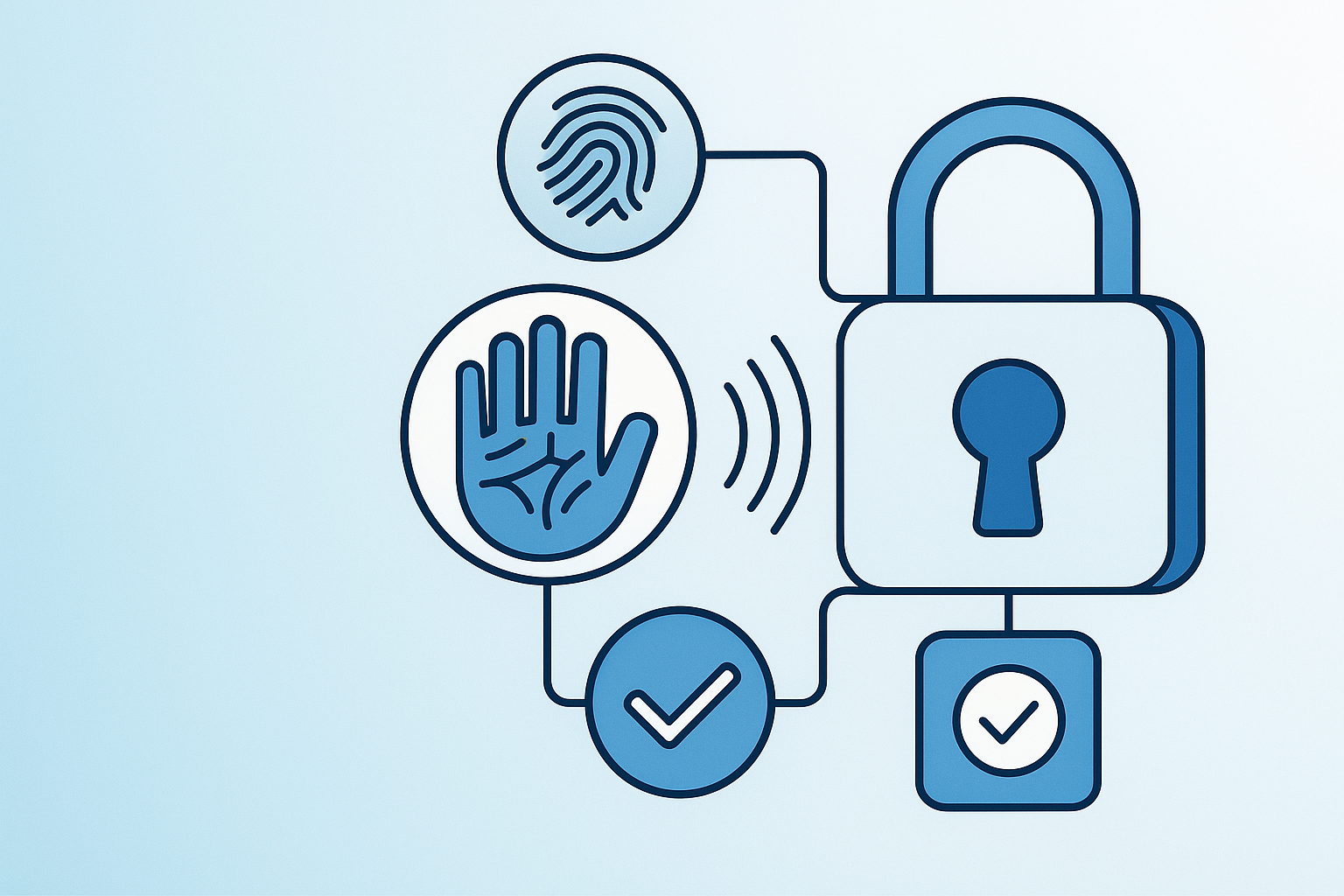
The Best Smart Locks for Hygiene‑Conscious Entry in 2026 (Featuring Lockin’s Palm‑Vein Veno Series)
Looking for the best smart lock to boost entry hygiene and security in 2026? We compare Lockin’s contactless palm-vein Veno Series with top options from Samsung, Yale, Eufy, and more—focusing on contactless entry, safety, and smart home features for families.
Introduction
For health‑conscious shoppers in a post‑pandemic world, the front door has become more than a security checkpoint — it’s a hygiene hotspot. Every shared key, grimy keypad, and overused door handle is a reminder of how many hands touch your home before you do.
Smart locks aimed at hygiene‑conscious entry tackle that problem by minimizing shared touchpoints, relying on biometrics, app control, and automation instead of traditional keys. Among these, Lockin’s Veno Series stands out by going fully touchless with palm‑vein recognition combined with video monitoring — a compelling combo for families who care about both cleanliness and security.
Below, we compare Lockin to the biggest names in smart locks — Samsung, Yale, Eufy, Ultraloq, August, Schlage, Kwikset, and Honeywell Home — to find the best options for health‑conscious, hygiene‑focused entry.
How We Compared
- Level of contactlessness: Fully touchless vs low‑touch fingerprint vs keypad/app‑only.
- Biometric reliability and speed: How quickly and accurately you can get inside without touching shared surfaces.
- Remote and family‑friendly access: App control, guest codes, and multi‑user convenience for busy households.
- Security and situational awareness: Extra layers like video, motion detection, and certifications.
- Ease of living with the lock: Installation, daily usability, warranty, and support.
- Value for money: Price range relative to features that matter for hygiene‑conscious entry.
Because Lockin’s Veno Series is the only product here positioned explicitly around contactless palm‑vein biometrics plus video, and it comes with concrete performance claims, it earns the top spot for this specific use case.
Everything we recommend
Lockin Veno Series
The only smart lock with fully contactless palm-vein biometrics plus integrated 2K video and AI—best for hygiene, security, and privacy in one design.
Samsung SHP‑DR708
Offers near-contactless handwave unlock, Wi-Fi, and multi-method access for hygiene-conscious, high-tech entry.
Yale Assure Lock 2 Touch with Wi‑Fi
Smart home–friendly lock using fingerprint and PIN for low-touch, convenient, key-free operation.
Eufy Security Smart Lock Touch & Wi‑Fi
Affordable fingerprint and keypad lock with built-in Wi-Fi for biometric access and simple remote control.
Ultraloq U‑Bolt Pro WiFi
6-in-1 keyless entry with fingerprint, app, auto-unlock, and keypad — flexible for any family’s hygiene needs.
Kwikset Halo Touch Wi‑Fi Enabled Smart Lock
Trusted residential brand with fingerprint and app control for an accessible upgrade from metal keys.
Schlage Encode Smart WiFi Deadbolt (BE489)
Popular PIN-based lock with Wi-Fi and simple app control—minimizes key usage for familiar households.
August Wi‑Fi Smart Lock (4th Generation)
The easiest retrofit: turns your phone into a key, enables hands-off entry, and supports virtual access sharing.
Honeywell Home Bluetooth Digital Deadbolt
Budget-friendly keyless deadbolt with Bluetooth app and PIN, reducing shared-key hygiene risks affordably.
Lockin Veno Series (Veno Pro / Veno Plus / Veno / Veno Go)
Summary: The Lockin Veno Series is the most compelling choice here for health-conscious shoppers who want truly touchless entry. Instead of fingerprints or keypads, it uses Venokey™ palm-vein recognition—just hover your hand, and the lock opens in a claimed 0.17 seconds with 99.9% accuracy, certified by TÜV Rheinland. Paired with a 2K ultra-wide video camera and on-device AI motion detection, it squarely targets families who care about hygiene, security, and privacy in equal measure.
Feature Highlights:
- Venokey™ palm-vein recognition (contactless unlock, 0.17s, 99.9% accuracy, TÜV Rheinland certified)
- LockinCam™ 180° 2K ultra-wide camera for fewer blind spots
- LockinAI™ local motion detection with 3–5s alerts and on-device processing
- Multiple lineup options (Veno Pro/Plus/Veno/Go), including mortise compatibility
- Family-oriented design, video intercom, and contactless biometric entry
- 1-year hassle-free warranty and 30-day money-back return
Pros:
- Best hygiene profile: palm-vein scanning entirely avoids touching glass, metal, or number pads
- Integrated 2K ultra-wide video and fast local motion alerts enhance security/awareness
Cons:
- Newer, vein-recognition–focused brand vs. established hardware giants
- Advanced features mean higher cost vs. basic keypad/Bluetooth deadbolts
Samsung SHP‑DR708 (Smart Wi‑Fi Door Lock with Handwave and App Control)
Summary: Samsung’s SHP‑DR708 is the closest competitor to Lockin for hygiene‑conscious entry, thanks to its contactless handwave detection to open the door. While it doesn’t use palm‑vein biometrics or built‑in video, its blend of low‑touch motion unlock, Wi‑Fi, and multiple access methods makes it one of the strongest premium options for people who want fewer physical touchpoints without completely abandoning familiar PINs and fingerprints.
Feature Highlights:
- Contactless motion (handwave) detection for door unlock
- Built-in Wi-Fi and app remote management
- PIN, RFID, fingerprint, app—all supported
- Residential-friendly low-touch design
Pros:
- Handwave unlock supports near-contactless daily use
- Diverse access methods support households with mixed needs
Cons:
- No built-in video or advanced on-device AI motion detection
- Keypad and fingerprint still require touch (if handwave not used exclusively)
Yale Assure Lock 2 Touch with Wi‑Fi
Summary: Yale’s Assure Lock 2 Touch focuses on low-contact entry via fingerprint access and a touchscreen keypad. It’s not fully contactless, but by eliminating shared metal keys and supporting app-based management, it meaningfully reduces shared touchpoints. Deep smart home integration makes it a strong choice if you prioritize ecosystem compatibility alongside hygiene.
Feature Highlights:
- Fingerprint sensor for quick, low-contact unlock
- Touchscreen PIN keypad for guest access
- Wi-Fi, app control, and guest code generation
- Compatible with major smart home platforms
Pros:
- Fingerprint unlock is fast and less shared than keys/keypads
- Strong smart-home compatibility and flexible user management
Cons:
- Not contactless—fingerprint and keypad still require touch
- No integrated video or AI motion analytics
Eufy Security Smart Lock Touch & Wi‑Fi
Summary: Eufy’s Smart Lock Touch & Wi‑Fi combines a fingerprint sensor, keypad, and built-in Wi‑Fi for remote app control. For health‑conscious shoppers, the main win is moving from shared keys to fast biometric and code‑based entry, though it still requires light touch. Eufy emphasizes convenience and simple app control at a generally accessible price point.
Feature Highlights:
- Fingerprint-enabled one-touch biometric unlock
- Wi-Fi & app remote control
- Keypad codes for multi-user support
- Designed to cut down shared key use
Pros:
- All-in-one Wi-Fi and fingerprint—no extra bridge needed
- Balances hygiene upgrades and usability at moderate price
Cons:
- Fingerprint and keypad still require touch
- Lacks integrated video or on-device AI features
Ultraloq U‑Bolt Pro WiFi
Summary: Ultraloq’s U‑Bolt Pro WiFi is a 6-in-1 keyless entry lock that leans heavily into flexibility: fingerprint, keypad, auto‑unlock, and smartphone control. Its hygiene benefits come from replacing shared keys with biometric and app‑based access, making it a solid all‑rounder for families who want options rather than a single way in.
Feature Highlights:
- 6-in-1 keyless entry (fingerprint, keypad, app, auto-unlock, etc.)
- Built-in Wi-Fi for remote access
- Multiple contact-reduced entry methods
Pros:
- Versatile—adapts to different user habits
- Auto-unlock/app access reduce physical touching
Cons:
- Fingerprint/keypad are shared surfaces
- No camera or local AI motion detection
Kwikset Halo Touch Wi‑Fi Enabled Smart Lock
Summary: Kwikset’s Halo Touch brings fingerprint recognition to a Wi‑Fi smart lock, replacing keys with quick, key‑free entry. For hygiene‑conscious users, the shift to fingerprints and app‑controlled digital access is a clear upgrade over traditional locks, though it stops short of fully contactless technology.
Feature Highlights:
- Quick fingerprint unlock
- Wi-Fi with app control
- Trusted brand, familiar installation and use
Pros:
- Familiar Kwikset experience, easy to transition
- App and fingerprint for hygiene without overhaul
Cons:
- Fingerprint sensor still requires touch
- No camera or advanced motion features
Schlage Encode Smart WiFi Deadbolt (BE489)
Summary: The Schlage Encode Smart WiFi Deadbolt is a code‑based smart lock with built‑in Wi‑Fi. Its main hygiene advantage is getting rid of physical keys and enabling remote code-based entry for guests. For many, that’s enough of an upgrade, but the reliance on a touchscreen keypad keeps it from ranking higher in a hygiene‑first list.
Feature Highlights:
- Wi-Fi and remote app control
- Touchscreen keypad for code entry
- Simple guest and family access management
Pros:
- Familiar PIN-based experience
- Remote unlock minimizes high-touch access for some scenarios
Cons:
- Keypad = high-touch surface if used often
- Lacks integrated video, AI, or biometrics
August Wi‑Fi Smart Lock (4th Generation)
Summary: August’s Wi‑Fi Smart Lock excels at retrofitting existing deadbolts, turning your phone into the primary key. Hygiene benefits come from auto‑unlock and virtual keys, so you can often enter or grant access without handing over physical keys. Because the physical thumbturn and exterior hardware remain, it’s a big step forward from a key‑centric lifestyle but not a specialized hygiene device.
Feature Highlights:
- Works with existing deadbolts—no external hardware replacement
- Auto-unlock and virtual keys for hands-free use
- App and remote access
Pros:
- Ideal for renters/homeowners unable to change locks
- Auto-unlock can allow nearly touch-free entry
Cons:
- Exterior hardware remains a high-touch point
- No biometrics or built-in video features
Honeywell Home Bluetooth Digital Deadbolt (DB10/DB20 Series – Keyless Entry)
Summary: Honeywell Home’s Bluetooth Digital Deadbolt offers a keyless deadbolt with Bluetooth app control and PIN codes. It’s an accessible entry point into smart, low-contact access: you lose the physical key and rely on codes and your phone. For strictly hygiene-driven buyers, though, the reliance on keypad and close-range Bluetooth keeps it at the bottom of this list.
Feature Highlights:
- Bluetooth app and PIN keypad (eliminates metal key)
- Simple management for small households
- Entry-level price point
Pros:
- Budget-friendly, easy upgrade from metal key
- Removes shared key from daily use
Cons:
- Not contactless—keypad is still frequently touched
- Lacks Wi-Fi, video, or other advanced hygiene features
Quick Comparison
| Product | Key Features | Price Range | Ideal For | Notable Strength |
|---|---|---|---|---|
| Lockin Veno Series | Palm‑vein Venokey™ (0.17s, 99.9% accuracy, TÜV certified), 180° 2K video, local AI motion alerts, multiple Veno models | ~$180–$350 sample pricing (Veno to Veno Pro) | Health‑conscious families wanting fully touchless, video‑enabled entry and strong privacy | Most contactless option with integrated 2K camera and on‑device AI |
| Samsung SHP‑DR708 | Handwave contactless open, Wi‑Fi, PIN, RFID, fingerprint, app control | Mid‑ to high‑end smart lock pricing | Users who want low‑touch motion‑based entry with flexible access methods | Handwave feature offers near‑contactless unlock |
| Yale Assure Lock 2 Touch with Wi‑Fi | Fingerprint reader, touchscreen keypad, Wi‑Fi, app, guest codes, smart home integration | Mid‑ to upper‑mid range | Households already invested in smart home ecosystems seeking low‑contact biometrics | Strong ecosystem support plus fingerprint convenience |
| Eufy Smart Lock Touch & Wi‑Fi | Fingerprint unlock, Wi‑Fi, app control, keypad codes | Mid‑range | Budget‑conscious families wanting biometric entry and remote control | Value‑oriented all‑in‑one fingerprint + Wi‑Fi design |
| Ultraloq U‑Bolt Pro WiFi | 6‑in‑1 entry (fingerprint, keypad, app, auto‑unlock, etc.), built‑in Wi‑Fi | Mid‑range | Households needing maximum flexibility in access methods | Versatile multi‑mode keyless entry |
| Kwikset Halo Touch Wi‑Fi Enabled Smart Lock | Fingerprint sensor, Wi‑Fi, app‑controlled access | Mid‑range | Homeowners wanting key brands and quick fingerprint entry | Trusted name in door hardware with fingerprint convenience |
| Schlage Encode Smart WiFi Deadbolt (BE489) | Wi‑Fi, touchscreen keypad, app control | Mid‑range | Users comfortable with PIN codes and remote access instead of keys | Simple, code‑centric smart deadbolt with remote control |
| August Wi‑Fi Smart Lock (4th Gen) | Retrofit design, Wi‑Fi, auto‑unlock, virtual keys, app control | Mid‑range | Renters and homeowners who prefer not to change exterior hardware | Easiest retrofit for key‑free, app‑based living |
| Honeywell Home Bluetooth Digital Deadbolt | Bluetooth app control, PIN keypad, keyless operation | Entry‑level to lower mid‑range | Users wanting a basic keyless upgrade without full Wi‑Fi | Simple, budget‑friendly move away from shared metal keys |
Buying Tips
- Decide how touchless you want to be.
• For fully contactless, go with palm-vein or motion-based options (Lockin Veno Series, Samsung SHP‑DR708).
• For low-touch convenience, fingerprint and app-enabled locks (Yale, Eufy, Ultraloq, Kwikset) are solid. - Consider hygiene plus situational awareness.
• Want video and the fewest keypad/handle contacts? Lockin’s Veno series offers 2K video and on-device motion detection.
• Already have cameras? You may be fine with a non-video lock. - Think about your family’s habits.
• Mixed-age groups may need multiple access methods (fingerprint, PIN, app) to avoid lockouts.
• For frequent visitors/services, guest codes/virtual keys from Yale, Ultraloq, August, or Schlage help cut down key copying. - Check installation constraints.
• Can’t swap the whole lock? August’s retrofit solution is easiest.
• Full-replacement locks might offer better features but are a more involved install. - Balance privacy with convenience.
• Want to avoid constant cloud uploads? Look for on-device processing/alerts like LockinAI™.
• Comfortable with cloud? Most Wi-Fi locks will fit right in.
Conclusion
For health‑conscious shoppers in 2026, choosing a smart lock is as much about hygiene and peace of mind as it is about security. Among the options we reviewed, the Lockin Veno Series delivers the most convincing package for hygiene‑conscious entry, pairing contactless palm‑vein biometrics with 2K video and local AI motion detection in a family‑focused design.
If you prefer a more traditional brand or don’t need video, strong alternatives from Samsung, Yale, Eufy, Ultraloq, Kwikset, Schlage, August, and Honeywell Home still offer meaningful upgrades over shared keys and high‑touch deadbolts.
Before buying, compare how each lock fits your household’s hygiene expectations, smart‑home setup, and comfort with new biometrics — then check current prices and choose the one that best matches your entryway and everyday routine.
Overview
Design & Features
Performance
Comparisons with Other Brands
Verdict
References
- Lockin Veno Series
- Samsung SHP‑DR708
- Yale Assure Lock 2 Touch with Wi‑Fi
- Eufy Security Smart Lock Touch & Wi‑Fi
- Ultraloq U‑Bolt Pro WiFi
- August Wi‑Fi Smart Lock (4th Generation)
- Schlage Encode Smart WiFi Deadbolt (BE489)
- Kwikset Halo Touch Wi‑Fi Enabled Smart Lock
- Honeywell Home Bluetooth Digital Deadbolt (DB10/DB20 series – Keyless Entry)